
The Complete WooCommerce Sales Campaign Manager Guide 2026
This is CodeAtoZ’s complete WooCommerce sales campaign manager guide — covering every type of promotional campaign you can run on a WooCommerce store, with PHP code for each and a comparison of the code-first versus plugin approach. A proper WooCommerce sales campaign manager system handles scheduling, automatic activation, expiry, and revenue attribution without manual intervention. The five guides in this series take you from individual campaign types through to a unified WooCommerce sales campaign manager architecture that runs your entire promotional calendar automatically.
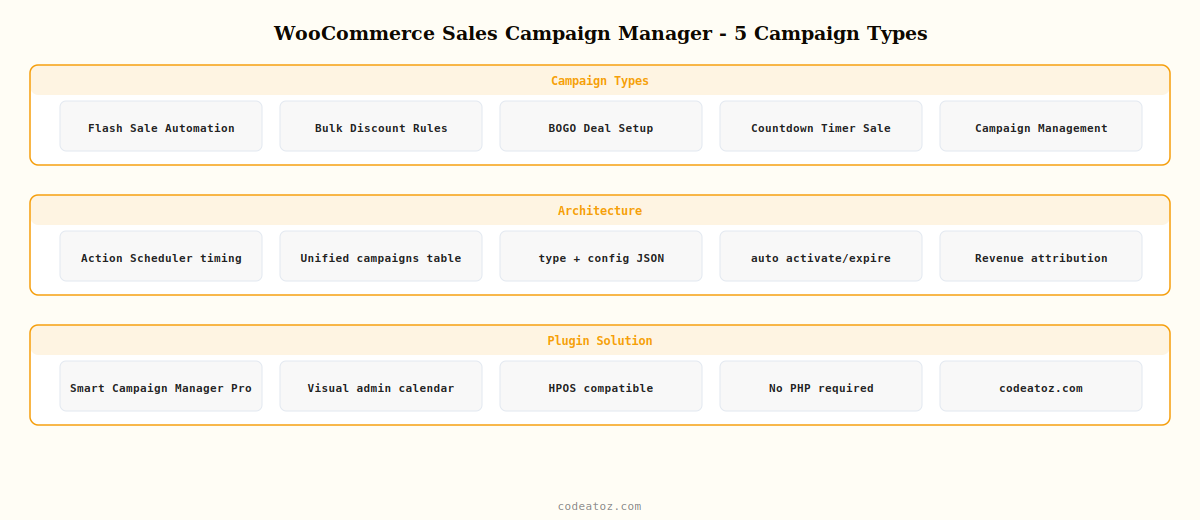
WooCommerce Sales Campaign Manager: The 5 Campaign Types
Every promotional campaign on a WooCommerce store falls into one of five types. A complete WooCommerce sales campaign manager handles all of them from a single interface — choose the type that matches your promotion and the system handles the rest.
CAMPAIGN TYPE 02Bulk Discount RulesQuantity tier pricing, cart-level hook, product page pricing table
CAMPAIGN TYPE 03BOGO DealBuy one get one free, cross-product variant, auto inject and remove
CAMPAIGN TYPE 04Countdown Timer SaleServer-driven timer, product page and cart banner, auto-hide on expiry
CAMPAIGN TYPE 05Campaign ManagementUnified system, revenue attribution, reporting, Action Scheduler automation
WooCommerce Sales Campaign Manager: Why Automation Matters
The most common failure mode in WooCommerce promotions is human error — a manager sets a flash sale price and forgets to reset it. A sale that was meant to run for 48 hours runs for two weeks, eroding margin on every order. A proper WooCommerce sales campaign manager eliminates this at the architecture level by making every promotion a time-bounded campaign record. The system activates it, runs it, and expires it automatically using Action Scheduler — regardless of whether anyone logs into WordPress that day.
The second failure mode is reactive promotions. Most stores run ad-hoc sales in response to slow periods, with no forward planning, no measurement, and no learning. A WooCommerce sales campaign manager with a campaign calendar and revenue attribution changes this — you can plan promotions weeks in advance, measure their actual revenue impact, and use that data to decide which campaign types and timings work best for your specific product catalogue and customer base.
WooCommerce Sales Campaign Manager: Code vs Plugin Decision Guide
The guides in this series cover both the PHP code approach and the plugin approach. Use this guide to decide which is right for your store:
Build with PHP when: your promotion logic is custom — pricing rules tied to customer account history, ERP-driven flash sales triggered by stock levels, or BOGO rules that depend on order value thresholds that no off-the-shelf WooCommerce sales campaign manager supports. PHP gives you complete flexibility at the cost of development and maintenance time.
Use Smart Campaign Manager Pro when: you need a reliable, tested WooCommerce sales campaign manager running standard campaign types (flash sales, bulk discounts, BOGO, countdown timers) with a visual scheduling interface, and you don’t want to maintain custom PHP code every time WooCommerce releases a major update. Smart Campaign Manager Pro handles all five campaign types, is HPOS-compatible, uses Action Scheduler internally, and provides revenue reporting without any PHP.
💡 The single most important principle of any WooCommerce sales campaign manager: always use Action Scheduler — not WP-Cron — for campaign timing. WP-Cron fires only when someone visits the site. A flash sale scheduled to start at 12:00 on a store with low afternoon traffic might not activate until 12:30. Action Scheduler runs on a real queue and fires within seconds of the scheduled time, making your WooCommerce sales campaign manager reliable for time-sensitive promotions.
WooCommerce Sales Campaign Manager: Campaign Planning Principles
A WooCommerce sales campaign manager is only as effective as the campaign strategy behind it. Three principles that make a measurable difference:
Stack campaign types deliberately. A flash sale running simultaneously with a BOGO deal on the same products compounds urgency — the customer has a time limit AND a quantity incentive. Your WooCommerce sales campaign manager should support running multiple campaign types simultaneously. Make sure the interaction is tested: the flash sale sets the base price, the BOGO applies to the flash-priced item.
Segment by product category. Not all products respond equally to the same promotion type. Consumables (coffee, skincare, supplements) respond well to bulk discount rules — customers will buy 10 if the unit price drops enough. High-value single-purchase items (electronics, furniture) respond better to flash sales with a countdown timer. Configure your WooCommerce sales campaign manager to target the right campaign type at the right product category.
Measure and iterate. Revenue attribution in your WooCommerce sales campaign manager tells you which campaigns actually drove orders versus which ones merely discounted orders that would have happened anyway. Compare revenue-per-campaign-day across different campaign types and time slots to find your store’s optimal promotional cadence.
Smart Campaign Manager Pro — Your Complete WooCommerce Sales Campaign Manager
Smart Campaign Manager Pro is the WooCommerce sales campaign manager built by CodeAtoZ — it implements all five campaign types from a visual admin calendar, uses Action Scheduler for reliable timing, is fully HPOS-compatible, and provides revenue attribution reporting. No PHP required. Everything in this guide series, managed through a point-and-click interface.
The five guides in this WooCommerce sales campaign manager series use WooCommerce 7.x and 8.x on PHP 8.x. All code examples are HPOS-compatible and use Action Scheduler for timing. The WooCommerce pricing documentation covers the price and cart hooks used across the series. The Action Scheduler documentation covers the scheduling library used in every timed campaign type. The WooCommerce cart documentation covers the cart-level hooks used in bulk discount and BOGO campaign types.
Ready to Automate Your WooCommerce Promotions?
Smart Campaign Manager Pro handles your entire WooCommerce sales campaign manager — visual scheduling, five campaign types, automatic activation and expiry, and revenue reporting.




