
Shopify App Bridge React — Build Embedded Shopify Apps (2026)
Complete Shopify App Bridge React guide — useAppBridge hook, ResourcePicker, navigation, modals, Toast, TitleBar, and authenticated iframe communication in 2026.
Shopify App Bridge React is the JavaScript library that connects your React application to the Shopify admin shell — enabling navigation, modal dialogs, Toast notifications, contextual save bars, and the ResourcePicker component that opens Shopify’s native product and collection selectors. Without Shopify App Bridge React, your embedded app is just an iframe with no awareness of the Shopify admin context around it. This guide covers the complete Shopify App Bridge React integration: the AppProvider setup, core hooks, navigation patterns, action dispatching, and the communication model between your React app and the Shopify admin shell.
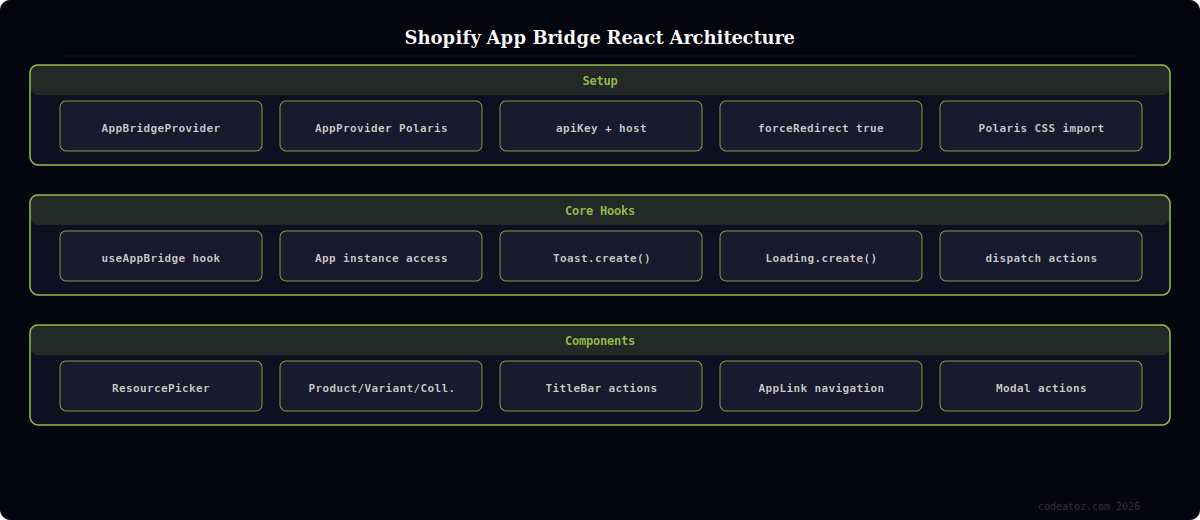
Shopify App Bridge React: AppProvider Setup
Every embedded Shopify app must wrap its React tree with AppProvider from @shopify/polaris and initialise App Bridge using the config prop. In the Remix scaffold from the Shopify CLI, this is preconfigured in your root layout. When building standalone React apps, you configure App Bridge manually using the apiKey and the host query parameter Shopify passes to your app on load.
import { AppProvider } from '@shopify/polaris';
import { Provider as AppBridgeProvider } from '@shopify/app-bridge-react';
import '@shopify/polaris/build/esm/styles.css';
import translations from '@shopify/polaris/locales/en.json';
import { useSearchParams } from '@remix-run/react';

// Shopify App Bridge React root provider setup
export default function AppRoot({ children }: { children: React.ReactNode }) {
  const [searchParams] = useSearchParams();
  const host = searchParams.get('host') ?? '';

  const appBridgeConfig = {
    apiKey: process.env.SHOPIFY_API_KEY!,
    host: host,
    forceRedirect: true,  // Redirect to OAuth if no valid session
  };

  return (
    <AppBridgeProvider config={appBridgeConfig}>
      <AppProvider i18n={translations}>
        {children}
      </AppProvider>
    </AppBridgeProvider>
  );
}
Shopify App Bridge React: useAppBridge Hook and Actions
The useAppBridge hook gives your React components direct access to the App Bridge instance, which you use to dispatch actions — navigating to other pages, showing toasts, triggering modals, or displaying loading indicators in the Shopify admin header.
import { useAppBridge } from '@shopify/app-bridge-react';
import { Toast, Loading } from '@shopify/app-bridge/actions';
import { useCallback, useState } from 'react';

// Shopify App Bridge React: show native Toast notification
export function useBridgeToast() {
  const app = useAppBridge();

  const showToast = useCallback((message: string, isError = false) => {
    const toast = Toast.create(app, {
      message,
      duration: 5000,
      isError,
    });
    toast.dispatch(Toast.Action.SHOW);
  }, [app]);

  return { showToast };
}

// Shopify App Bridge React: show/hide admin loading bar
export function useBridgeLoading() {
  const app = useAppBridge();
  const [loading] = useState(() => Loading.create(app));

  const startLoading = () => loading.dispatch(Loading.Action.START);
  const stopLoading  = () => loading.dispatch(Loading.Action.STOP);

  return { startLoading, stopLoading };
}

// Usage in a component
function SaveProductButton({ onSave }: { onSave: () => Promise<void> }) {
  const { showToast }    = useBridgeToast();
  const { startLoading, stopLoading } = useBridgeLoading();

  const handleSave = async () => {
    startLoading();
    try {
      await onSave();
      showToast('Product saved successfully');
    } catch {
      showToast('Save failed — please try again', true);
    } finally {
      stopLoading();
    }
  };

  return <button onClick={handleSave}>Save</button>;
}
Shopify App Bridge React: ResourcePicker Component
The ResourcePicker is one of the most useful components in Shopify App Bridge React. It opens Shopify’s native product, variant, or collection selector modal directly inside your embedded app, giving your merchants a familiar selection UI without you building a custom search interface.
import { ResourcePicker } from '@shopify/app-bridge-react';
import { useState } from 'react';

interface SelectedProduct {
  id: string;
  title: string;
  variants: Array<{ id: string; title: string; price: string }>;
}

// Shopify App Bridge React ResourcePicker for product selection
export function ProductSelector({ onSelect }: { onSelect: (products: SelectedProduct[]) => void }) {
  const [open, setOpen] = useState(false);

  return (
    <>
      <button onClick={() => setOpen(true)}>Select products</button>

      {/* Shopify App Bridge React ResourcePicker component */}
      <ResourcePicker
        resourceType="Product"
        open={open}
        allowMultiple={true}
        onSelection={({ selection }) => {
          onSelect(selection as SelectedProduct[]);
          setOpen(false);
        }}
        onCancel={() => setOpen(false)}
        // Filter to in-stock products only
        filterQuery="tag:featured"
      />
    </>
  );
}
Shopify App Bridge React: TitleBar and Navigation
The TitleBar component sets the page title and action buttons that appear in the Shopify admin header — outside your iframe, in the native admin chrome. Use it on every page of your Shopify App Bridge React application to give merchants a consistent navigation experience that matches the rest of the Shopify admin.
import { TitleBar } from '@shopify/app-bridge-react';
import { useNavigate } from '@remix-run/react';

// Shopify App Bridge React TitleBar on every admin page
export function ProductsPageTitleBar({ onSave, isSaving }: { onSave: () => void; isSaving: boolean }) {
  const navigate = useNavigate();

  return (
    <TitleBar
      title="Products"
      primaryAction={{
        content: isSaving ? 'Saving...' : 'Save changes',
        onAction: onSave,
        disabled: isSaving,
        loading: isSaving,
      }}
      secondaryActions={[
        {
          content: 'Import CSV',
          onAction: () => navigate('/import'),
        },
        {
          content: 'View in Shopify',
          url: 'https://admin.shopify.com/store/products',
          target: 'REMOTE',
        },
      ]}
    />
  );
}
💡 Never use browser alert(), confirm(), or prompt() inside Shopify App Bridge React apps. Your app runs inside an iframe and these native browser dialogs are blocked. Use App Bridge Modal actions for confirmation dialogs and Toast for notifications. Use the Polaris Banner or InlineError components for form validation errors that stay on the page rather than interrupting the user with a modal.
The Shopify App Bridge React documentation covers all available hooks and components. The Polaris component library documents every UI component available alongside Shopify App Bridge React. The Shopify admin UI extensions guide covers the newer extension-based approach that complements App Bridge React. See our Shopify custom app development guide and our Shopify development services.
Frequently Asked Questions — Shopify App Bridge React
What is Shopify App Bridge React?
Shopify App Bridge React is a React library that enables communication between your embedded Shopify app (running in an iframe) and the Shopify admin shell. It provides hooks and components for native Shopify UI elements — Toast notifications, loading bars, ResourcePicker, TitleBar actions, and modal dialogs — that render in the admin chrome outside your iframe. Without App Bridge React, your app cannot interact with the surrounding Shopify admin interface.
How do I set up Shopify App Bridge React in a new project?
Install @shopify/app-bridge-react and @shopify/polaris via npm. Wrap your React tree with AppBridgeProvider (configured with your API key and the host query parameter from the URL) and AppProvider from Polaris. Import the Polaris CSS. The host parameter is a base64-encoded merchant store domain that Shopify passes to your app URL on every load — it authenticates the App Bridge session and ensures the correct admin context.
How do I show a Toast notification using Shopify App Bridge React?
Use the useAppBridge hook to get the App Bridge instance, then create and dispatch a Toast action from @shopify/app-bridge/actions. Set the message, duration (milliseconds), and isError flag. Dispatch Toast.Action.SHOW to display it. The Toast renders in the Shopify admin chrome above your iframe, not inside your React component tree. For simple use, the Polaris Toast component also works for in-page notifications within your iframe content.
What is the ResourcePicker component in Shopify App Bridge React?
ResourcePicker is a Shopify App Bridge React component that opens Shopify’s native product, variant, or collection selection modal. It handles search, filtering, and pagination using Shopify’s own admin UI, so merchants see a familiar interface. Pass open as a boolean to control visibility, onSelection to receive the selected items array, and onCancel to handle dismissal. Use resourceType to specify Product, ProductVariant, or Collection.
What is the difference between App Bridge React and Admin UI Extensions?
Shopify App Bridge React builds embedded admin apps that live in their own iframe — essentially a full React SPA that replaces a section of the admin. Admin UI Extensions are newer and more integrated — they render React components directly within existing Shopify admin pages (product details, order pages) as extension slots, without a separate iframe. New Shopify app development should prefer UI Extensions where possible; App Bridge React remains the right approach for complex full-page admin tools.
How do I navigate between pages in a Shopify App Bridge React app?
Use your React router (React Router or Remix’s useNavigate) for client-side navigation between pages within your app. Use the Shopify admin Navigation component from App Bridge React for adding your app to the admin sidebar. For links that navigate outside your app to Shopify admin pages (like the product detail page), use the AppLink component with target=”REMOTE” to open the URL in the full Shopify admin rather than within your iframe.
Need a Shopify App Bridge React App Built?
CodeAtoZ builds Shopify App Bridge React applications — embedded admin tools, ResourcePicker integrations, custom dashboards, and full Shopify App Store submissions.




