
WooCommerce Store Reports — The Complete Guide (Free Plugin)
WooCommerce Store Reports emails you a daily or weekly digest that answers one question: what needs my attention right now? Sales, your order pipeline and stock levels — in one clean email, so you don’t open wp-admin just to check. 100% free, no Pro tier.
WooCommerce Store Reports is a free plugin that sends store owners a daily or weekly email combining the three things they check every morning — sales performance, order pipeline and stock levels — into a single digest. Instead of logging into wp-admin to see whether anything needs attention, you get the answer in your inbox. This guide covers everything WooCommerce Store Reports does: the daily report, the weekly report, the dashboard widget, and how to set it all up in a couple of minutes. It is 100% free, with no Pro tier and no locked features.
Search intent: product/informational — WooCommerce store owners looking for automated report emails and evaluating this plugin. This is the complete reference; the linked guides go deeper on daily sales emails, low stock alerts, order reports, and choosing a free reporting plugin. Get the plugin on the WordPress.org plugin directory.
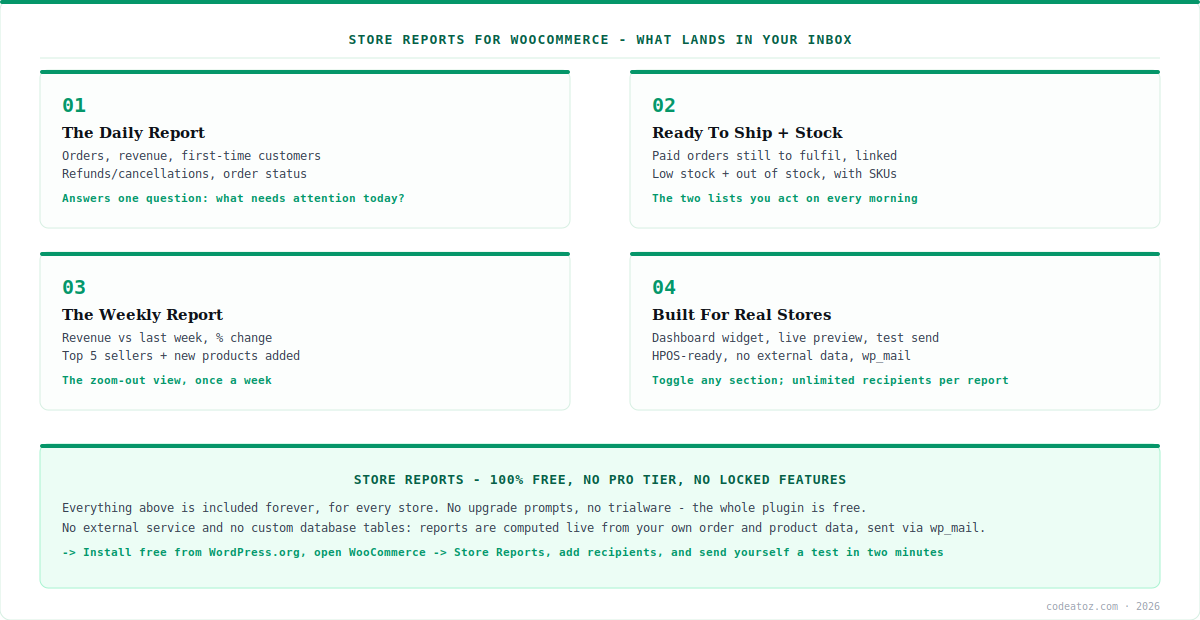
WooCommerce Store Reports: What It Actually Does
At its core, WooCommerce Store Reports exists to save you a repetitive daily task: opening your store’s admin to check whether anything needs attention. Most store owners do this every morning — glancing at yesterday’s sales, seeing which orders are waiting to ship, and checking whether anything is running low on stock. The plugin bundles exactly those three checks into one email, so the information comes to you rather than you going to fetch it.
Two things make WooCommerce Store Reports straightforward to trust. First, it does not send your data anywhere: there is no external service or API, and reports are delivered using your site’s own email (wp_mail) directly to the recipients you choose — nothing is tracked or sent to CodeAtoZ or anyone else. Second, it adds no custom database tables; everything in every report is computed live from your store’s own order and product data. It is a self-contained, privacy-respecting tool that reads your existing data and emails you a summary. And it is entirely free — every feature described in this guide is included, forever, with no Pro tier or upgrade prompts.
WooCommerce Store Reports: The Daily Report
The daily report is the heart of WooCommerce Store Reports. You choose the report window — either the full previous day (the default, since a report on a day that just started would be mostly empty) or today so far, from midnight to send time. Within that window, the report gives you order count and revenue, plus how many orders came from first-time customers, and a refunds-and-cancellations line so you see those without digging through orders.
Beyond the sales summary, the daily report from WooCommerce Store Reports breaks orders down by status — Pending payment, Processing, On hold, Completed, Cancelled, Refunded, Failed — and, importantly, includes a Ready to Ship section: paid orders (status Processing) still waiting to be fulfilled, each linked straight to its order screen. It also lists low stock and out of stock products with their SKUs and edit links. A smart subject line puts the key stats right in the subject on a normal day (“Daily Report — Your Store: 12 orders, $480.00”), while a zero-order day shows “No orders yesterday — Your Store” so the anomaly is visible without even opening the email. You can also skip the report on specific weekdays — for example, not sending on Sundays.
| Daily report includes | What you get |
|---|---|
| Report window | Full previous day (default) or today so far |
| Sales summary | Orders, revenue, first-time customers |
| Refunds / cancellations | A dedicated line, no digging |
| Orders by status | Pending, Processing, On hold, Completed, etc. |
| Ready to Ship | Paid orders awaiting fulfilment, linked |
| Stock | Low stock + out of stock, with SKUs + edit links |
| Smart subject line | Stats in subject; zero-order days flagged |
| Skip weekdays | e.g. no report on Sundays |
WooCommerce Store Reports: The Weekly Report
Where the daily report is your morning check, the weekly report from WooCommerce Store Reports is the zoom-out view. It shows this week’s revenue and order count compared with the previous week, with a percentage change — so you see the trend, not just the number. That week-over-week comparison turns raw figures into a signal of whether the store is growing, holding or slowing.
The weekly report also surfaces your top 5 best-selling products of the week by units sold, and lists new products added to the store during the week — useful for confirming what you launched actually went live. It carries the same low stock and out of stock summaries as the daily report, so the operational stock view is there whether you read daily or weekly. Together, the two reports from WooCommerce Store Reports give you both the daily operational pulse and the weekly strategic trend, and you can run either, both, or just one, depending on how you like to work.
WooCommerce Store Reports: Built for Real Stores
Beyond the emails, WooCommerce Store Reports includes touches that make it practical day to day. A “Store Reports — Today” widget on your wp-admin Dashboard shows today’s orders, revenue, ready-to-ship count and low-stock count at a glance, with a link to your report settings — so even inside the admin you get the summary without hunting. You can send to unlimited recipients, with a separate recipient list per report, and turn any section on or off independently for each report. You choose the exact hour each report sends (and the day of week for the weekly one).
Setup confidence is built in too. A “Send Test Email” button sends the real, live-data report to your own inbox instantly, and a live preview panel shows exactly what will be sent, right inside wp-admin — so you never turn on a report without knowing precisely what recipients will receive. On compatibility, WooCommerce Store Reports works correctly with WooCommerce High-Performance Order Storage (HPOS) and Cart/Checkout Blocks, with all order lookups going through WooCommerce’s own APIs. In the Settings tab you can set your low stock threshold, choose which order statuses count as revenue (defaulting to Processing and Completed), and toggle the footer credit in outgoing emails. It is, in short, built for people running actual stores, not just for a feature list.
100% free, no Pro tier — and it never sends your data anywhere. Everything in this guide is included in WooCommerce Store Reports forever, for every store, with no locked features or upgrade prompts. And because it uses your site’s own wp_mail and adds no custom database tables — computing every report live from your existing data — nothing about your store is tracked or transmitted to any external service. Free and private, by design.
WooCommerce Store Reports: Setup in Two Minutes
Getting started with WooCommerce Store Reports is quick. Install it free from the WordPress.org plugin directory (or search “CodeAtoZ Store Reports” in your wp-admin Plugins screen), activate it with WooCommerce active, then go to WooCommerce → Store Reports. There you turn on the daily and/or weekly report, add recipients, pick the send time and window, and choose which sections to include. Before switching a report on, use “Send Test Email” to see exactly what will be delivered — the live-data report lands in your inbox instantly.
One practical note: report emails are delivered through wp_mail(), the same function WooCommerce uses for order emails. If your WooCommerce order emails arrive reliably, your reports will too; if they do not, the fix is almost always your host’s outgoing mail setup rather than the plugin, and installing an SMTP plugin resolves it in most cases. That aside, WooCommerce Store Reports is genuinely a two-minute setup — and once it is running, your daily and weekly numbers simply arrive, no wp-admin trip required. It comes from the same team behind CodeAtoZ Hide Prices for WooCommerce and CodeAtoZ B2B Suite for WooCommerce. If you want help extending it or building custom reporting, our WooCommerce team can help.
Why we built WooCommerce Store Reports
We built it to answer one question, not to be a dashboard. Plenty of reporting plugins bury you in charts. We wanted the opposite: a single email that tells a busy store owner what needs attention today — sales, orders to ship, stock running low — so the answer arrives instead of requiring a wp-admin trip. Focus was the design goal.
We made it genuinely free because a report you rely on shouldn’t hold you hostage. Reporting is the sort of thing you build into a daily routine, and it is frustrating when a feature you depend on suddenly moves behind a paywall. Store Reports has no Pro tier by deliberate choice — the whole plugin is free, so the workflow you build on it stays yours.
We kept it private and self-contained on principle. A plugin that reads your orders and revenue should not be shipping that data anywhere, so Store Reports connects to no external service, adds no database tables, and sends through your own wp_mail. It reads your existing data and emails you a summary — nothing more, which is exactly what a reporting tool should be.
Frequently Asked Questions About WooCommerce Store Reports
What does WooCommerce Store Reports do?
It emails you a daily or weekly digest combining three things store owners check each morning: sales performance, order pipeline (including a Ready to Ship list of paid orders awaiting fulfilment) and stock levels (low and out of stock). Instead of opening wp-admin to see if anything needs attention, you get the answer in your inbox. It is a free plugin with no Pro tier.
Is WooCommerce Store Reports really free?
Yes — 100% free, with no Pro tier, no locked features, no trialware and no upgrade prompts. Every feature (daily report, weekly report, ready-to-ship, stock alerts, dashboard widget, unlimited recipients, section toggles, test email and live preview) is included for every store, forever. There is no paid version to unlock anything.
Does it send my store data anywhere?
No. The plugin connects to no external service or API. Reports are computed live from your own store’s order and product data and delivered using your site’s normal outgoing mail (wp_mail) directly to the recipients you choose. Nothing is tracked, logged externally, or sent to CodeAtoZ or anyone else, and it adds no custom database tables.
Does WooCommerce Store Reports work with HPOS?
Yes. The plugin declares compatibility with WooCommerce High-Performance Order Storage (HPOS) and Cart/Checkout Blocks, and all order lookups go through WooCommerce’s own APIs, so they work correctly whether HPOS is enabled or not. You can use it confidently on both classic and HPOS-based stores.
What is the “Ready to Ship” section?
It is a list of paid orders (status Processing) that are still waiting to be fulfilled, each linked straight to its order screen. It answers the practical morning question “what do I need to ship today?” without you filtering orders in wp-admin — arguably the most actionable part of the daily report for stores that fulfil their own orders.
How do I set up WooCommerce Store Reports?
Install it free from WordPress.org (or via your wp-admin Plugins screen), activate it with WooCommerce active, then go to WooCommerce → Store Reports. Turn on the daily and/or weekly report, add recipients, pick the send time and sections, and use “Send Test Email” to preview the real report in your inbox. Setup takes about two minutes.
Get WooCommerce Store Reports — Free
Daily and weekly digests of your sales, orders and stock, delivered to your inbox. 100% free, no Pro tier, no data sent anywhere.




