
The Ultimate WooCommerce Hide Price Plugin
— Protect B2B Prices From Everyone
And why CSS tricks are not the answer — we built a proper server-side solution.
targeting conditions
CTA action types
version on WP.org
pro · one-time
If you’re searching for a WooCommerce hide price plugin that actually works — not a CSS trick that anyone can bypass — you’re in the right place. Hide Price Pro is a server-side WooCommerce hide price plugin built specifically for B2B, wholesale, and membership stores. 10 targeting conditions, 6 CTA actions, built-in inquiry forms. Free on WordPress.org. Pro at $39 one-time.
If you run a B2B or wholesale WooCommerce store, you’ve probably faced this situation.
A competitor visits your store. They browse your product catalogue. They see your trade prices — the exact same prices you spent months negotiating with suppliers. They screenshot everything. Two days later, they’re undercutting you.
Or a retail customer finds your wholesale store somehow, adds products to their cart, and checks out at your B2B price. You only realise when you see the order.
These aren’t edge cases. They happen constantly to WooCommerce store owners who don’t have proper price visibility control in place. And the default WooCommerce setup gives you zero protection.
Why WooCommerce Shows Prices to Everyone by Default
WooCommerce is built for public storefronts. Its default behaviour assumes you want everyone — guests, logged-in users, competitors, search engine crawlers — to see your prices.
For a standard retail shop, that’s fine. For a B2B store, a wholesale platform, a members-only shop, or any business with custom pricing structures, it’s a problem.
The CSS trap: The most common “fix” people find online is adding CSS like display:none to hide price elements. This is not a real solution. The price is still in your page source, visible in browser inspect tools, and fully exposed in the WooCommerce REST API. Anyone who knows what they’re doing can still see it.
What you actually need is server-side enforcement — the price never reaches the browser in the first place. That’s exactly what we built this WooCommerce hide price plugin to do.
How This WooCommerce Hide Price Plugin Actually Works
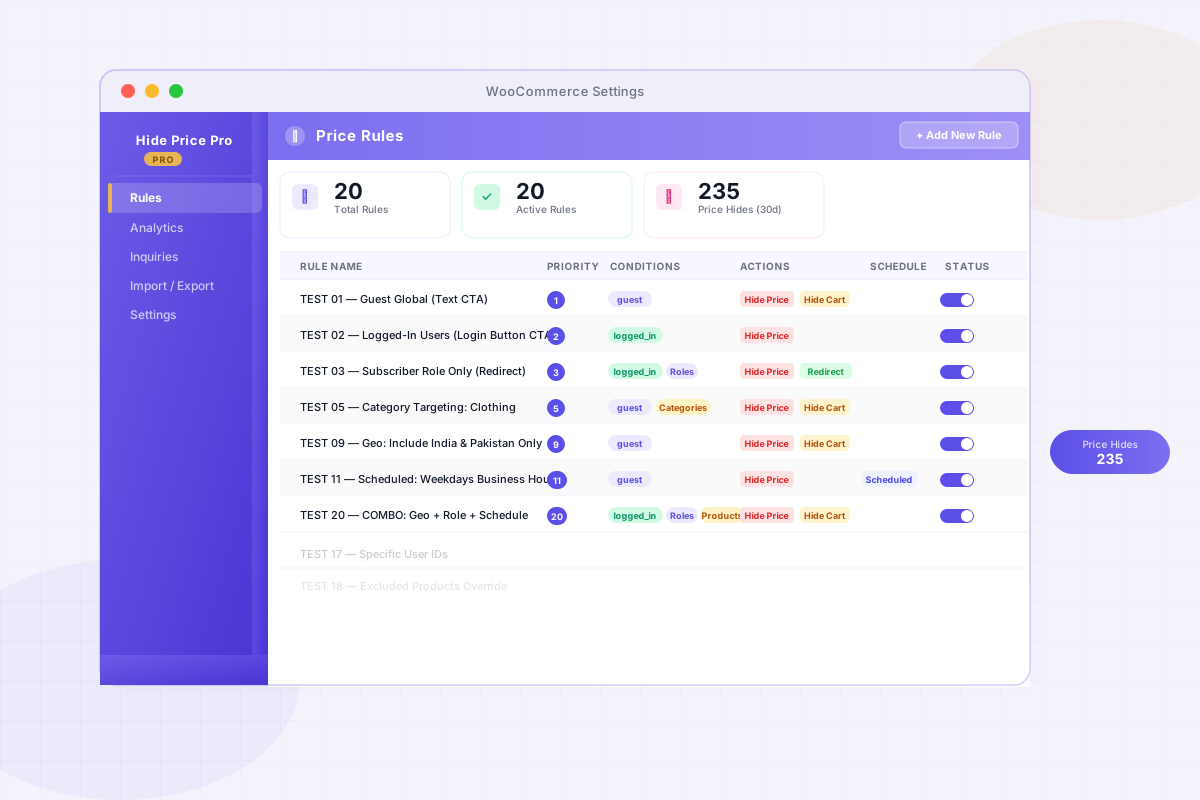
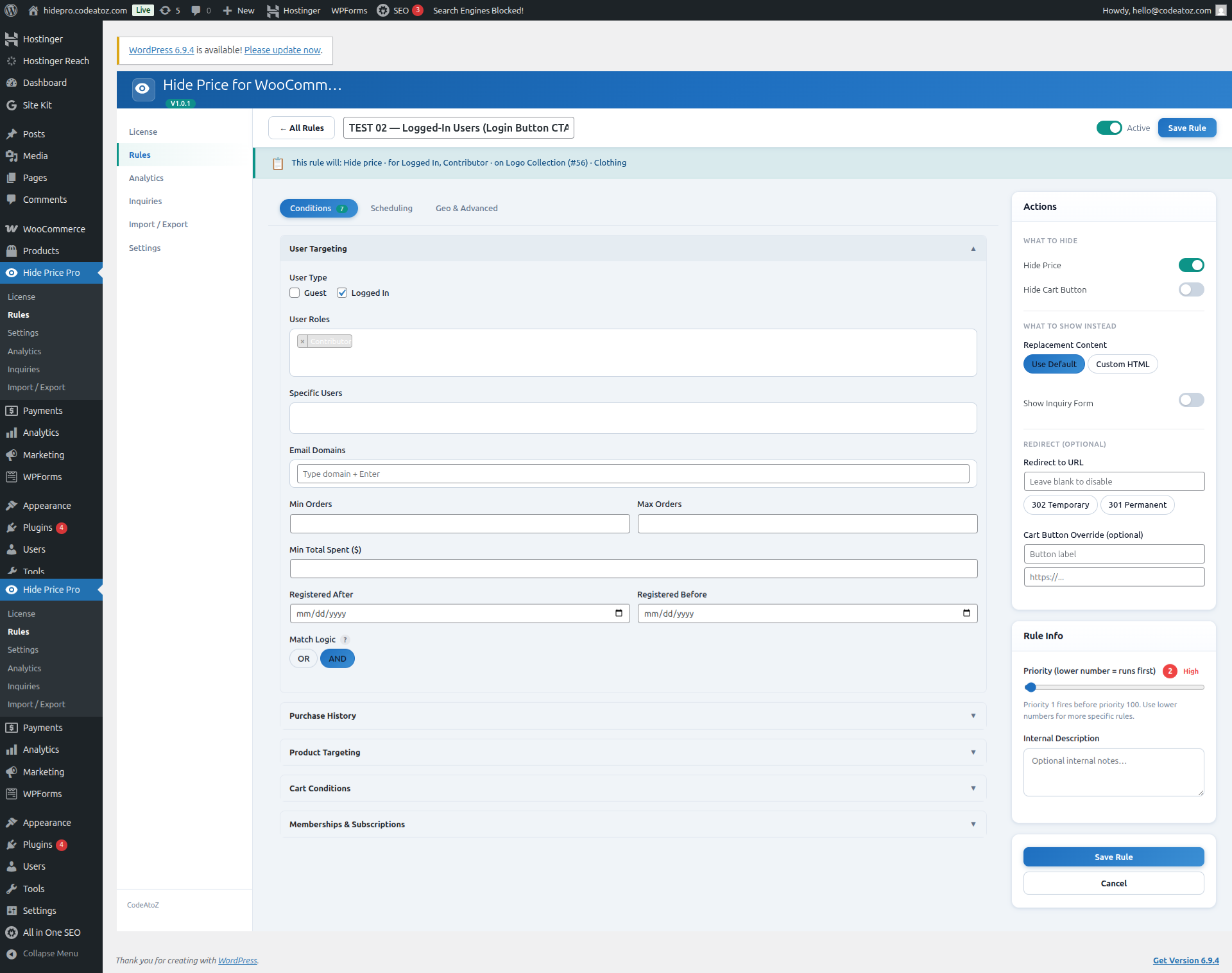
The plugin uses a rule-based engine. You create rules that define who should have prices hidden, under what conditions, and what they should see instead. Rules are evaluated server-side during WooCommerce price rendering — before any HTML is sent to the browser.
Who Should Use This WooCommerce Hide Price Plugin?
We built this for a very specific set of WooCommerce store types. If any of these describe your store, this plugin was made for you.
- B2B & wholesale stores — You have trade pricing that shouldn’t be public. Guests and retail buyers should see a “login to view price” message instead.
- Members-only shops — Only approved or subscribed members should see and purchase products. Everyone else sees a call to action to join.
- Catalogue-mode stores — You want to showcase products without enabling purchasing. No prices, no add-to-cart buttons — just product information.
- Quote-based businesses — Your pricing depends on order volume, location, or customer type. Replace the price with an inquiry form that captures leads directly.
- Regional pricing — Different pricing or no pricing for visitors from certain countries. Geo-targeting handles this without extra plugins.
- Developers and agencies — Managing multiple WooCommerce stores with custom pricing tiers for different clients or regions.
Free vs Pro — What’s the Difference?
The free version on WordPress.org handles the core use case well — hiding prices from guests and logged-in users by role. If your needs are simple, it might be all you need.
The Pro version adds the conditions and actions that B2B stores actually need in practice.
| Feature | Free | Pro — $39 |
|---|---|---|
| Unlimited rules with priority system | ✓ | ✓ |
| Guest & logged-in user targeting | ✓ | ✓ |
| User role targeting | ✓ | ✓ |
| Product & category targeting | ✓ | ✓ |
| Plain text replacement & hide cart | ✓ | ✓ |
| REST API price protection | ✓ | ✓ |
| Geo-targeting by country | — | ✓ |
| Scheduling — dates, days, time window | — | ✓ |
| Purchase history & spend targeting | — | ✓ |
| Inquiry / Quote Form (AJAX, leads to DB) | — | ✓ |
| Analytics dashboard & CSV export | — | ✓ |
| Login button, redirect, custom HTML & image CTA | — | ✓ |
| Email notifications + customer auto-reply | — | ✓ |
| Import / Export rules (JSON) | — | ✓ |
| Priority email support | — | ✓ |
The Inquiry Form Feature — This One Changes Things
One feature in Pro that store owners consistently tell us makes a real difference is the built-in inquiry form.
Instead of just hiding the price and showing text, you can replace it with an AJAX modal quote form. The customer fills in their details and submits the enquiry — without leaving the product page. That lead gets saved to your WordPress database, you get an email notification instantly, and the customer gets an automatic reply confirming their request was received.
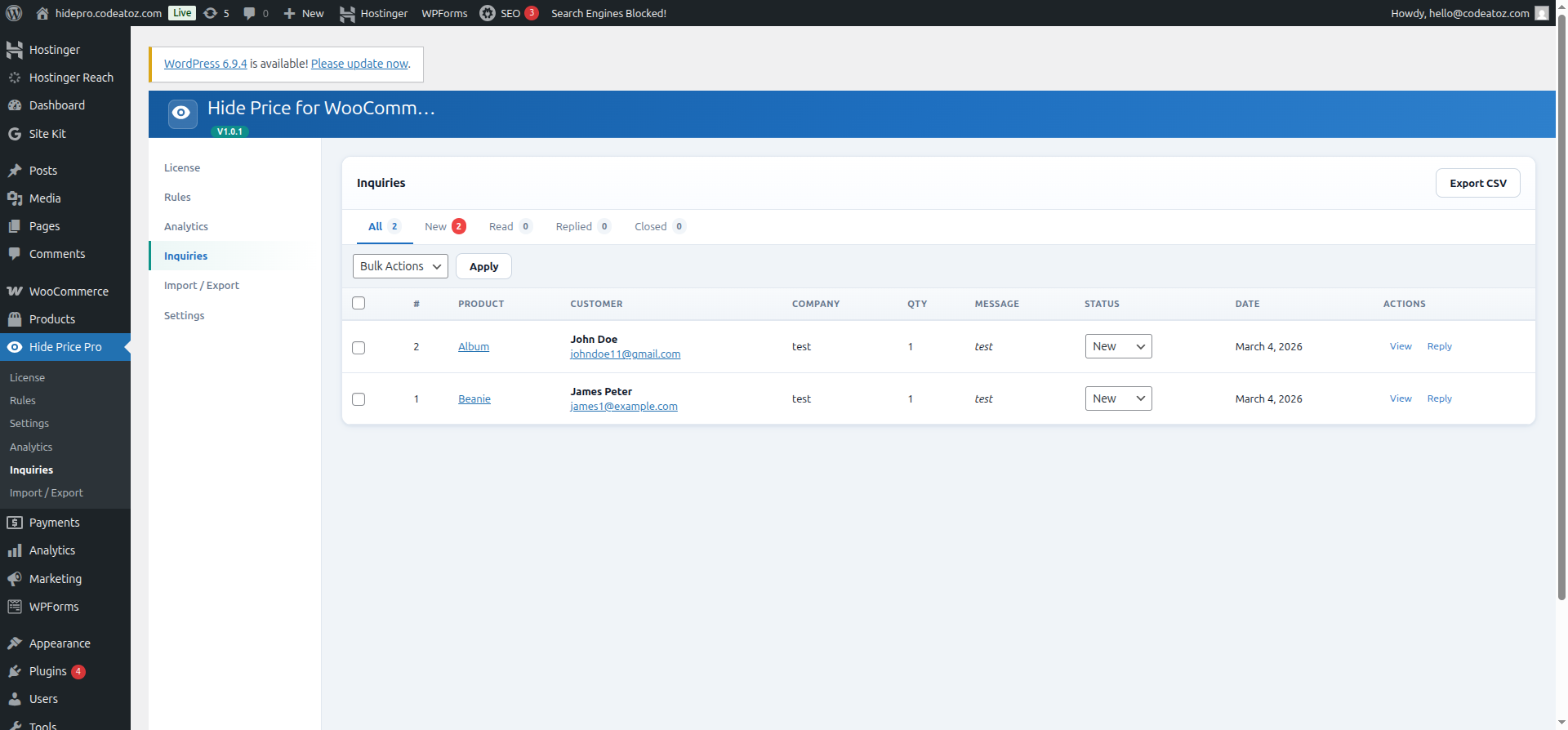
For B2B stores that previously just showed “contact us for pricing” with no easy way to actually do that — this turns a dead end into a lead capture. Every hidden price becomes a potential conversation.
Track Every Hidden Price — Built-In Analytics
Most WooCommerce hide price plugins stop at “hide the price”. Ours doesn’t. Hide Price Pro includes a full analytics dashboard so you can actually measure the business impact of your price visibility rules.
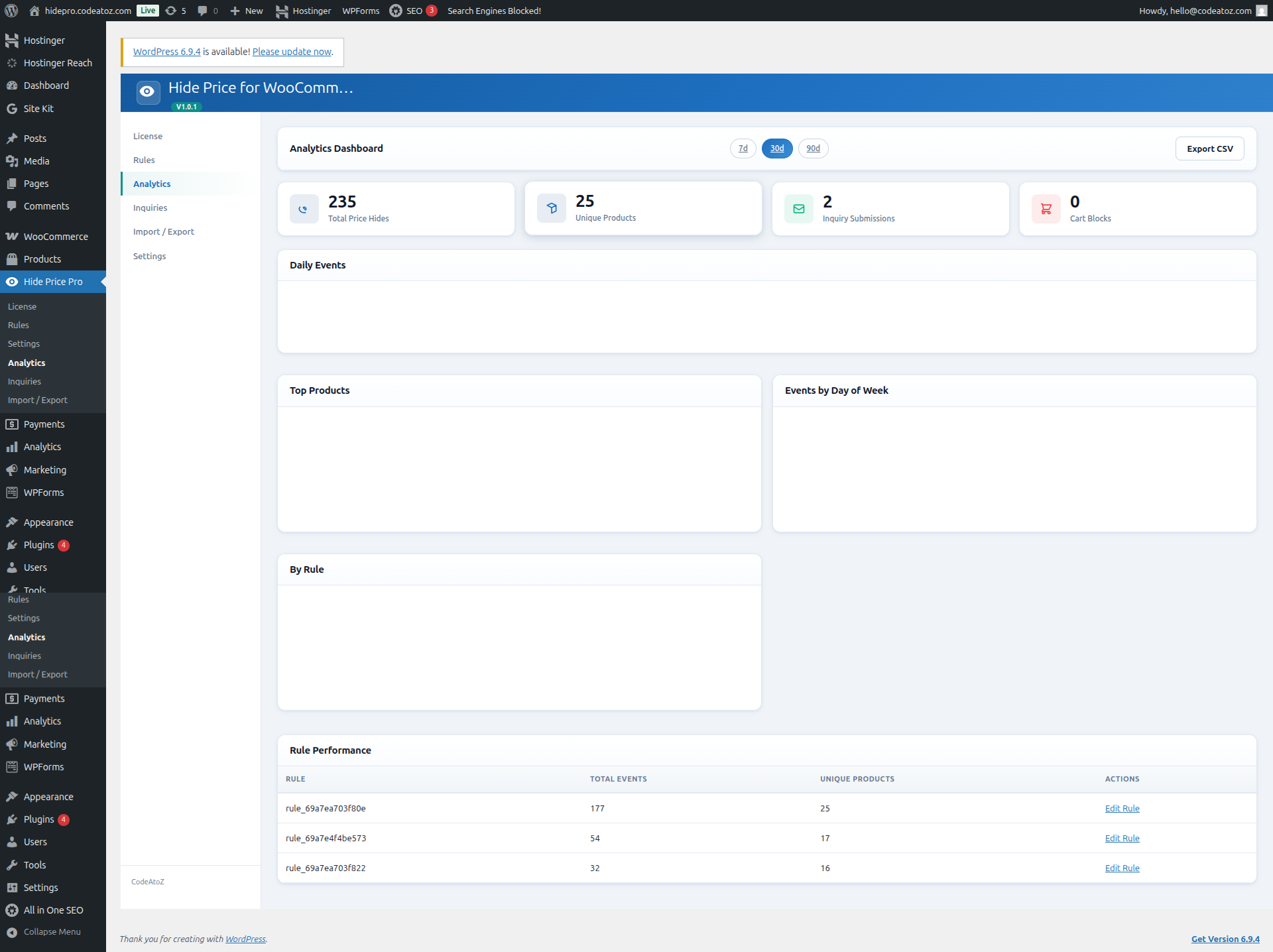
KPI cards show total price hides, unique products affected, and trend percentages compared to previous periods. A Chart.js line chart visualises daily events across 7, 30, or 90 days. Below that, a per-rule performance table breaks down exactly which rules are firing most — so you can refine the ones that matter and disable the ones that don’t. Every metric is exportable to CSV for reporting.
Simple, Honest Pricing
One purchase. Every feature. All future updates included. No subscriptions, no monthly fees.
FREE
- Unlimited rules
- Guest & role targeting
- Plain text replacement
- REST API protection
PRO
- Everything in Free
- Geo-targeting by country
- Scheduling & date rules
- Inquiry / Quote Form
- Analytics dashboard
- Priority support
- 14-day money-back
MULTI-SITE
- Everything in Pro
- 3 site licences
- Unlimited sites: $149
- Priority support
Is This WooCommerce Hide Price Plugin Right for Your Store?
Start with the free version. Install it, create a rule, test it on your store. If the core functionality solves your problem and you don’t need geo-targeting, scheduling, or the inquiry form — the free version is genuinely all you need.
If you run a serious B2B or wholesale operation and you need proper lead capture, country-based rules, or analytics on how many visitors are hitting your hidden prices — the Pro version at $39 one-time is a straightforward decision.
14-day money-back guarantee on the Pro version. If it doesn’t work for your store for any reason, you get a full refund. No questions asked.
Frequently Asked Questions
Is this really a secure WooCommerce hide price plugin — not just CSS?
Yes. Unlike most “hide price” solutions that use display:none, this WooCommerce hide price plugin removes prices at the PHP level before HTML reaches the browser. Check the page source, inspect element, or call the REST API — the price is gone from all of them. Schema.org structured data is also stripped so SEO crawlers can’t expose pricing either.
Does this WooCommerce hide price plugin work with variable products?
Yes. Rules on parent variable products auto-apply to all variations including AJAX-loaded prices. You never need to list individual variation IDs. The server-side enforcement handles variation price filtering automatically.
Will this WooCommerce hide price plugin slow down my store?
No. Rules are cached in PHP memory per request — zero extra database queries per product render. Geo lookups are cached for 24 hours to eliminate repeated API calls. The performance overhead is negligible on stores of any size.
Can I hide prices by country with this WooCommerce hide price plugin?
Yes. The Pro version includes geo-targeting using WooCommerce MaxMind GeoIP as the primary source with ip-api.com as a fallback. You can include or exclude specific countries and combine geo-targeting with other conditions like user role, schedule, or category for granular regional pricing control.
Is the WooCommerce hide price plugin free?
Yes — the free version is available on WordPress.org and covers unlimited rules, guest and user role targeting, plain text replacement, hide cart button, and REST API price protection. The Pro version at $39 one-time adds geo-targeting, scheduling, purchase history rules, inquiry forms, analytics, and 6 CTA action types.
Can I migrate from the free WooCommerce hide price plugin to Pro?
Yes — leave the free plugin active when you first activate Pro. Pro reads your existing free plugin rules and imports them automatically on first activation. No manual re-setup needed. After migration you can safely deactivate the free version.
Ready to Control Who Sees Your Prices?
Try the free version first — no account needed, installs in under 2 minutes from the WordPress plugin directory.




