
Hyvä Theme Tailwind CSS Magento 2 — Config & Custom Design (2026)
Configure Hyvä theme Tailwind CSS in Magento 2 — tailwind.config.js customisation, custom colours, fonts, purge paths, building for production, and avoiding class purge issues.
Hyvä theme Tailwind CSS Magento 2 configuration is how you apply your brand identity to a Hyvä store — custom primary and secondary colours, typography, spacing, and component variants that make the store look unique rather than generic out-of-the-box Hyvä. The Hyvä theme Tailwind CSS build system generates a purged CSS bundle containing only the utility classes actually used in your templates, keeping the final CSS under 30kb. This guide covers the complete Hyvä theme Tailwind CSS Magento 2 workflow: tailwind.config.js setup, design token extension, purge path configuration, production builds, and common class-purge issues.
Hyvä theme Tailwind CSS Magento 2 uses Tailwind CSS v3 with JIT (Just-in-Time) compilation. The JIT compiler generates only the CSS classes used in your phtml files on-demand, producing a minimal CSS output. This is why Hyvä stores can achieve sub-30kb CSS bundles even with a large component library — the purge process removes every unused utility class before the file is served to visitors.
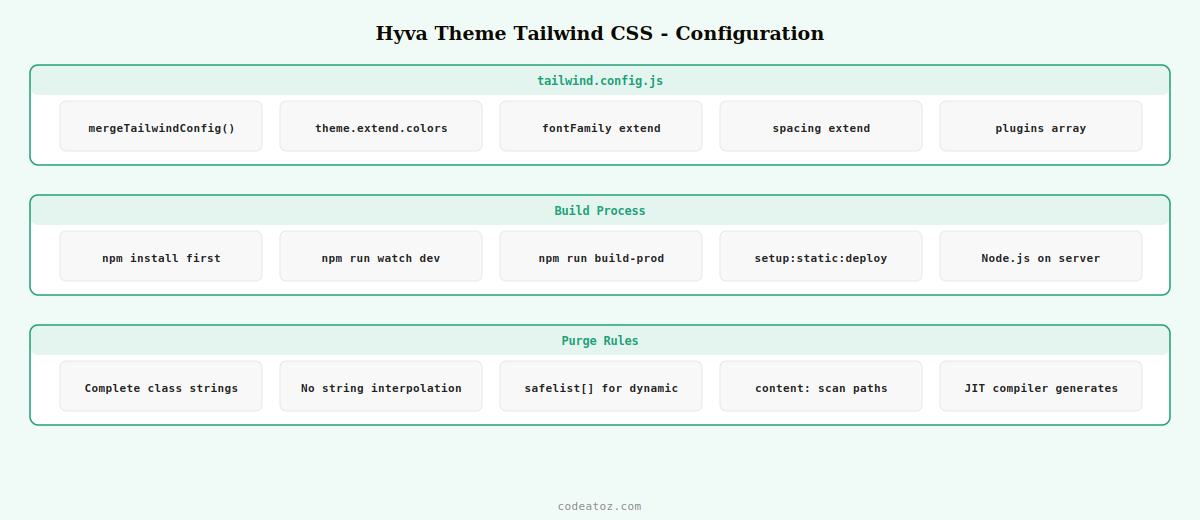
Hyvä Theme Tailwind CSS Magento 2: tailwind.config.js Setup
The tailwind.config.js file in your Hyvä child theme’s web/tailwind/ directory is where all design customisation happens. Hyvä provides a hyva-modules helper that merges your config with the parent theme’s base configuration, so you only need to declare your extensions and overrides.
const hyvaModules = require('@hyva-themes/hyva-modules');

module.exports = hyvaModules.mergeTailwindConfig({

    theme: {
        extend: {
            // Hyvä theme Tailwind CSS: brand colour palette
            colors: {
                primary: {
                    DEFAULT:  '#1a6b4a',
                    lighter:  '#22a76a',
                    darker:   '#0f4530',
                },
                secondary: {
                    DEFAULT:  '#f59e0b',
                    lighter:  '#fbbf24',
                    darker:   '#b45309',
                },
            },

            // Hyvä theme Tailwind CSS: custom font stack
            fontFamily: {
                sans:  ['Inter', 'ui-sans-serif', 'system-ui', 'sans-serif'],
                serif: ['Georgia', 'ui-serif', 'serif'],
                mono:  ['JetBrains Mono', 'ui-monospace', 'monospace'],
            },

            // Hyvä theme Tailwind CSS: brand spacing token
            spacing: {
                '18': '4.5rem',
                '88': '22rem',
            },

            // Border radius for brand consistency
            borderRadius: {
                'brand': '0.375rem',
            },
        },
    },

    // Purge paths — Hyvä theme Tailwind CSS scans these for class names
    content: [
        // All phtml files in this child theme
        './src/**/*.phtml',
        // All phtml files in parent Hyvä theme (already included via mergeTailwindConfig)
        // Custom module templates if added to the build
        '../../app/code/Vendor/Module/view/frontend/templates/**/*.phtml',
    ],

    // Custom Hyvä theme Tailwind CSS plugins if needed
    plugins: [],
});
Hyvä Theme Tailwind CSS Magento 2: Build Process
Hyvä theme Tailwind CSS Magento 2 uses npm scripts to compile CSS. Run the build locally during development and the production build runs automatically during setup:static-content:deploy.
# Navigate to your child theme's tailwind directory
cd app/design/frontend/Vendor/custom-hyva/web/tailwind/

# Install dependencies (first time only)
npm install

# Development: watch for changes and rebuild Hyvä theme Tailwind CSS
npm run watch

# Production: single build with full purge
npm run build-prod

# In Magento CI/CD: Hyvä theme Tailwind CSS builds during SCD
bin/magento setup:static-content:deploy en_GB -f --theme Vendor/custom-hyva
Hyvä Theme Tailwind CSS Magento 2: Avoiding Class Purge Issues
The most common Hyvä theme Tailwind CSS problem is a class that works in development but disappears in production. This happens when a class name is assembled dynamically in PHP or JavaScript — the purge scanner reads static template files and cannot see dynamically constructed strings.
<?php
// ❌ UNSAFE: Hyvä theme Tailwind CSS purge will not see 'text-red-500' or 'text-green-500'
$class = 'text-' . ($inStock ? 'green' : 'red') . '-500';
echo "<span class='$class'>";

// ✅ SAFE: Full class strings are present in PHP — purge scanner finds them
$class = $inStock ? 'text-green-500' : 'text-red-500';
echo "<span class='$class'>";

// ✅ ALSO SAFE: Add dynamic classes to safelist in tailwind.config.js
// safelist: [
//   'text-red-500', 'text-green-500',
//   { pattern: /bg-(primary|secondary)(-lighter|-darker)?/ }
// ]
?>
⚠ Never use string interpolation to build Tailwind class names in Hyvä theme Tailwind CSS Magento 2 templates. The class name must appear as a complete string in at least one scanned file for it to survive the purge. For classes that must be dynamic, add them to the safelist array in tailwind.config.js. Safelisted classes are never purged regardless of whether the scanner finds them.
The Hyvä theme Tailwind CSS configuration documentation covers the full tailwind.config.js setup and the mergeTailwindConfig helper. The Tailwind CSS content configuration documentation covers the purge path and safelist options used in Hyvä theme Tailwind CSS Magento 2. See our Hyvä theme developer guide for the architecture overview and our Hyvä Alpine.js guide for using the Tailwind classes in interactive components.
Frequently Asked Questions — Hyvä Theme Tailwind CSS Magento 2
How do I customise colours in Hyvä theme Tailwind CSS?
Add your brand colours to the theme.extend.colors section in tailwind.config.js in your child theme’s web/tailwind/ directory. Use the primary and secondary keys as Hyvä’s templates reference these by name. Define DEFAULT, lighter, and darker variants for each colour to enable responsive states and hover variants. Run npm run build-prod or npm run watch to regenerate the Hyvä theme Tailwind CSS bundle after changes.
Why are my Tailwind classes missing in production on Hyvä theme?
Classes are missing in production because Hyvä theme Tailwind CSS purges unused classes from the final bundle. The purge scanner reads template files statically and cannot see dynamically constructed class names. Always write complete class strings in templates (e.g. ‘text-red-500’ not ‘text-‘ + colour + ‘-500’). For unavoidably dynamic classes, add them to the safelist array in tailwind.config.js.
Can I add custom CSS alongside Hyvä theme Tailwind CSS?
Yes — add custom CSS to the web/tailwind/src/tailwind-source.css file in your child theme using Tailwind’s @layer directive. Use @layer components for reusable component styles and @layer utilities for custom utility classes. This integrates your custom CSS into the same purge/build pipeline as Hyvä theme Tailwind CSS so unused styles are still removed in production. Avoid separate CSS files outside the Tailwind build unless absolutely necessary.
How does Hyvä theme Tailwind CSS build during Magento deployment?
Hyvä theme registers a setup:static-content:deploy hook that automatically runs the Tailwind CSS build (npm run build-prod) for your theme when you run bin/magento setup:static-content:deploy. Node.js must be available on the server or CI runner. The built CSS is output to pub/static and served as a regular static file. No Tailwind build infrastructure is needed at runtime — only during deployment.
How do I add Google Fonts to Hyvä theme Tailwind CSS?
Load the font via a link element in your child theme’s default_head_blocks.xml layout file. Then register the font name in your tailwind.config.js fontFamily extension. For example, add Inter to the sans array: fontFamily: { sans: [‘Inter’, ‘ui-sans-serif’, ‘system-ui’] }. The Hyvä theme Tailwind CSS build generates font-family utilities based on your config that you can use directly in templates.
Does Hyvä theme Tailwind CSS support dark mode?
Yes — add darkMode: ‘class’ or darkMode: ‘media’ to your tailwind.config.js. With class mode, add or remove the dark class on the html element via JavaScript to toggle dark mode. With media mode, dark mode activates based on the user’s OS preference. All dark: variant classes in your Hyvä theme Tailwind CSS templates will work automatically. The dark mode implementation details need to be added to your Alpine.js component for toggling.
Need Hyvä Theme Tailwind CSS Customisation?
CodeAtoZ implements custom Hyvä theme Tailwind CSS design systems — brand colours, typography, component variants, and production-optimised builds for Magento 2 stores.




