
The Best Free WooCommerce Reporting Plugin — What “Free” Really Means (2026)
Searching for a free WooCommerce reporting plugin? The word “free” hides a lot. Much of the category is freemium — a limited free tier that nudges you to pay. Here’s how to read “free” honestly, and where a genuinely free option fits.
Looking for a free WooCommerce reporting plugin sounds like a simple search, but “free” carries more nuance than it appears. A large part of the reporting-plugin category is freemium: there is a free version, but the features you actually want are often in a paid tier, and the free one exists partly to move you toward it. That is a completely legitimate business model — but it means “free” does not always mean what you assume. This guide helps you read a free WooCommerce reporting plugin honestly: how free and freemium differ, what to check before installing, and where a genuinely-free option like CodeAtoZ Store Reports fits.
Search intent: comparison/decision — WooCommerce store owners choosing a free reporting plugin. We cover why “free” is loaded, free versus freemium, what to check before installing, where each model fits, and how to choose. This is part of our WooCommerce Store Reports guide; see also daily sales emails and order reports. The genuinely-free option discussed is on WordPress.org.
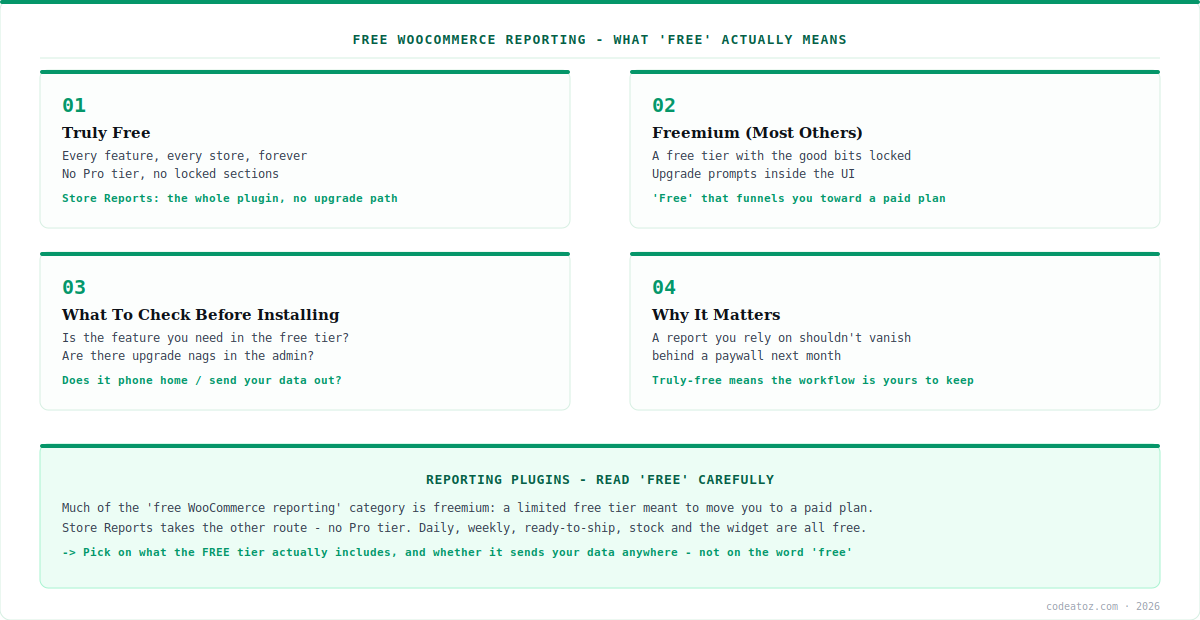
Free WooCommerce Reporting Plugin: “Free” Is a Loaded Word
When you search for a free WooCommerce reporting plugin, the results are a mix of genuinely-free tools and freemium products, and telling them apart from the listing alone is not always easy. Both say “free”. Both have a free download. The difference is what happens after you install: does the plugin give you what you need at no cost, or does the feature you came for turn out to be behind an upgrade prompt? The word “free” does not distinguish these — you have to look past it.
This is not a criticism of freemium. Building and maintaining a plugin takes ongoing work, and a free tier funding a paid one is a fair, common way to sustain that. The point is simply that “a free WooCommerce reporting plugin” can mean two quite different things, and choosing well means knowing which you are getting. A store owner who installs a freemium plugin expecting full functionality, only to hit a paywall on the one report they wanted, has not been cheated — they just did not read “free” carefully. This guide is about reading it carefully.
Free WooCommerce Reporting Plugin: Free vs Freemium
The core distinction in the free WooCommerce reporting plugin category is between “truly free” and “freemium”. A truly-free plugin includes all its features at no cost, with no paid tier — what you install is the whole thing, and it stays that way. A freemium plugin offers a free version with some features, and a paid version that unlocks more; the free tier is a genuine product, but it is also a funnel toward the paid one, so its capabilities are often deliberately limited and the admin may include upgrade prompts.
Both models appear when you search for a free WooCommerce reporting plugin, and neither is wrong — they suit different situations. Freemium can be excellent value if the free tier happens to cover your needs, or if the paid features are genuinely worth it for your store. Truly-free is simpler: no tiers to compare, no risk of a feature you rely on moving behind a paywall later, no upgrade nags. CodeAtoZ Store Reports is in the truly-free camp — it has no Pro tier at all, so the daily digest, weekly digest, Ready to Ship list, stock alerts and dashboard widget are all included, permanently, for every store. The trade-off, honestly stated, is that a truly-free plugin focuses on doing its core job well rather than offering the breadth a large freemium suite might; whether that matters depends on what you need.
| Aspect | Truly free (e.g. Store Reports) | Freemium (many others) |
|---|---|---|
| Cost | Free, forever | Free tier + paid tier |
| Feature access | Everything included | Key features often locked |
| Upgrade prompts | None | Common in the admin |
| Risk of paywalled features | None | Features can move to paid |
| Breadth | Focused core job | Often broader (if you pay) |
| Best when | You want the core done, free | You’ll use / pay for more |
Free WooCommerce Reporting Plugin: What to Check Before Installing
Rather than judging a free WooCommerce reporting plugin by the word “free”, check a few concrete things before you install. First: is the specific feature you need actually in the free tier? If you want daily sales emails and low-stock alerts, confirm those exact features are free, not teased in the free version and delivered only in the paid one. The listing usually says, if you read the feature breakdown rather than the headline.
Second: are there upgrade prompts, and do they get in the way? Some freemium plugins are gentle about it; others fill the admin with nags. Third, and often overlooked: does the plugin send your data anywhere? A reporting plugin reads your orders and revenue — sensitive commercial data — so it is worth knowing whether it stays on your site or transmits data to an external service. A well-behaved free WooCommerce reporting plugin should generate reports from your own data without shipping it out; CodeAtoZ Store Reports, for instance, connects to no external service and sends through your own wp_mail. Checking these three things — is my feature free, are there nags, does my data leave — tells you far more than the word “free” ever could.
Judge a “free” plugin on what its free tier includes and whether your data leaves — not on the headline word. The most useful questions about any free WooCommerce reporting plugin are concrete: is the exact feature I need free, will the admin nag me to upgrade, and does the plugin transmit my order and revenue data anywhere? Answer those from the plugin’s own listing and privacy statement, and “free” stops being a marketing word and becomes something you can actually evaluate.
Free WooCommerce Reporting Plugin: Where Each Fits and Choosing
So which kind of free WooCommerce reporting plugin should you choose? It depends on what you need. If you want comprehensive, advanced analytics — deep dashboards, custom report builders, extensive breakdowns — a freemium or paid reporting suite may be the right tool, and paying for capabilities you will genuinely use is sensible. Do not force a truly-free tool to do a paid tool’s job.
If, on the other hand, what you actually want is the essentials done reliably and for free — a daily digest of sales, orders to ship and stock, delivered to your inbox, with no cost and no data leaving your site — then a truly-free, focused plugin is the better fit, and CodeAtoZ Store Reports is built exactly for that. The honest way to choose a free WooCommerce reporting plugin is to define what you need first, then check candidates against it: does the free tier cover my needs, is it free of paywalled surprises, does it respect my data? Choose on those answers, not on which listing shouts “free” loudest. For many stores, the essentials done well and free is precisely enough — and when it is, a truly-free plugin is the sensible, honest choice. If your needs grow into custom reporting, our WooCommerce team can build it, and our other free-and-commercial tools like Hide Prices and B2B Suite come from the same team.
Why we made Store Reports genuinely free
We think the essentials shouldn’t be bait. Daily sales, orders to ship and stock alerts are the basics every store owner checks — not premium extras. We built Store Reports with no Pro tier because gating the fundamentals behind a paywall felt wrong for something people build into a daily routine. The core job is free, full stop.
We’re honest that truly-free means focused, not exhaustive. A no-Pro-tier plugin has to pick its scope, so Store Reports does the daily/weekly digest, ready-to-ship and stock alerts well rather than trying to be an everything analytics suite. If a store needs deep custom dashboards, a freemium or paid tool may fit better — and we say so, because the right recommendation matters more than winning every install.
We treat data privacy as part of “free” meaning free. A reporting plugin that reads your revenue and quietly ships it to an external service is not really free — you pay in data. Store Reports sends nothing anywhere, generating reports from your own data through your own mail, because a genuinely free tool should cost you neither money nor your store’s information.
Frequently Asked Questions About Free WooCommerce Reporting Plugins
What is the best free WooCommerce reporting plugin?
It depends on your needs. For advanced analytics, a freemium or paid suite may be best. For the essentials done reliably and truly free — daily sales, orders to ship, stock alerts by email — a focused, no-Pro-tier plugin like CodeAtoZ Store Reports fits well. Define what you need, then check candidates on whether the free tier covers it, nags you, or sends your data out.
What’s the difference between free and freemium reporting plugins?
A truly-free plugin includes all its features at no cost with no paid tier — what you install is the whole thing. A freemium plugin has a free version plus a paid one that unlocks more, so the free tier is often limited and the admin may show upgrade prompts. Both are valid; the difference is whether the feature you want is actually free or behind a paywall.
How do I know if a “free” plugin is really free?
Check three things before installing: is the specific feature you need in the free tier (not teased and locked to paid); are there upgrade prompts in the admin; and does the plugin send your data to any external service. Read the feature breakdown and privacy statement rather than the headline. Those concrete answers tell you far more than the word “free”.
Is freemium bad?
No — it’s a legitimate, common model that funds ongoing plugin development, and it can be great value if the free tier covers your needs or the paid features are worth it for you. The point isn’t that freemium is bad; it’s that “free” can mean either truly-free or a limited free tier, so you should know which you’re choosing rather than assuming.
Does a free reporting plugin send my data anywhere?
Some do, some don’t — and it’s worth checking, since a reporting plugin reads sensitive order and revenue data. A well-behaved one generates reports from your own data without transmitting it externally. CodeAtoZ Store Reports, for example, connects to no external service and sends through your own wp_mail, so nothing about your store leaves your site.
When should I pay for a reporting plugin instead of using a free one?
When you genuinely need capabilities a free tool doesn’t offer — comprehensive dashboards, custom report builders, advanced breakdowns — and you’ll actually use them. Paying for capabilities you’ll use is sensible; don’t force a focused free tool to do a paid suite’s job. But if you just need the essentials done reliably, a truly-free plugin is often precisely enough.
Want the Essentials, Genuinely Free?
Daily and weekly digests of sales, orders and stock — no Pro tier, no locked features, no data sent anywhere. Read “free” honestly, then try it.




