
WooCommerce Order Report — See Your Pipeline at a Glance in 2026
A WooCommerce order report shows where every order stands — pending, processing, on hold, completed — and, most usefully, which paid orders are still waiting to ship. Here’s how to get your order pipeline by email, free.
A WooCommerce order report answers a question every store owner asks daily: where does everything stand? How many orders are waiting for payment, how many are paid and need shipping, how many are on hold, how many are done. Seeing your order pipeline at a glance — rather than filtering the orders screen in wp-admin — makes fulfilment faster and stops orders slipping through the cracks. This guide shows how to get a WooCommerce order report by email using the free CodeAtoZ Store Reports plugin, including the standout feature for anyone who ships their own orders: a Ready to Ship list.
Search intent: how-to — WooCommerce store owners who want a view of their order pipeline. We cover why the pipeline view matters, the order-status breakdown, the Ready to Ship list, setup, and getting it right. This is part of our WooCommerce Store Reports guide; see also daily sales emails and low stock alerts. For order data sync, see our order sync guide. The plugin is free on WordPress.org.
WooCommerce Order Report: Why the Pipeline View Matters
The reason a WooCommerce order report is useful is that orders are not a single pile — they are a pipeline with stages, and knowing how many sit at each stage tells you what needs doing. Some orders are awaiting payment, some are paid and waiting to be fulfilled, some are on hold pending a check, some are complete. Each stage implies a different action (or none), so a count by stage is far more useful than a single “you have X orders” number.
Without a WooCommerce order report, getting this picture means going into the orders screen and mentally sorting, or filtering by status one at a time. That is fine occasionally, but as a daily habit it is exactly the kind of repetitive check that slips when you are busy — and a paid order sitting unshipped because you did not notice it is a customer-experience problem. A report that lays out the pipeline by status, delivered to your inbox, makes the check reliable and instant. You see at a glance whether anything is stuck, how much is waiting to ship, and whether the pipeline is flowing — which is the operational heartbeat of a store.
WooCommerce Order Report: Orders by Status
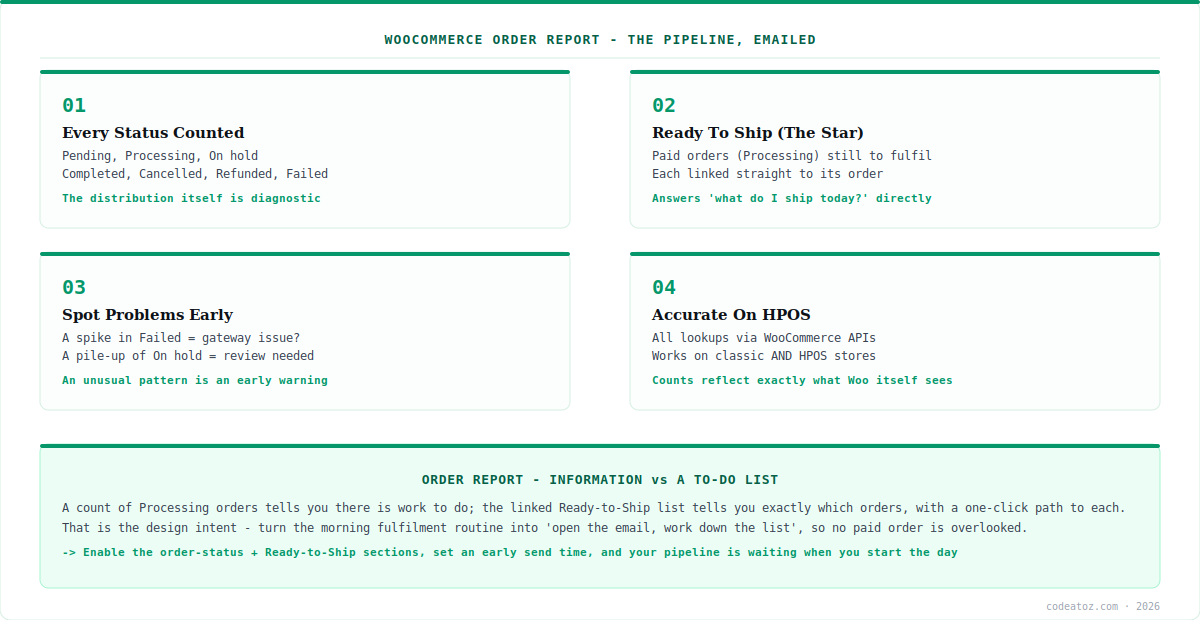
The core of a WooCommerce order report in CodeAtoZ Store Reports is the order-status breakdown. For your report window, it counts orders across all the standard WooCommerce statuses: Pending payment, Processing, On hold, Completed, Cancelled, Refunded and Failed. Each status tells you something specific — a rising Pending payment count might signal a checkout or payment issue; On hold orders need review; Failed orders may point to payment-gateway trouble worth investigating.
Seeing all statuses together in a WooCommerce order report is what makes it a pipeline view rather than a single figure. You are not just told how many orders came in; you are shown how they are distributed across the fulfilment journey. That distribution is diagnostic: a healthy store has most orders flowing through to Completed, while an unusual pattern — lots of Failed, a pile-up of On hold, a growing Pending payment count — is a signal to look closer. Because the report computes these live from your own order data through WooCommerce’s own APIs, the counts are always accurate and current, and they work correctly whether or not your store uses High-Performance Order Storage.
| Status | What it means | Typical action |
|---|---|---|
| Pending payment | Awaiting payment | Watch for a rising count |
| Processing | Paid, needs fulfilling | Ship it (Ready to Ship) |
| On hold | Needs review | Check and release |
| Completed | Done and shipped | Nothing — the goal |
| Cancelled / Refunded | Reversed | Awareness |
| Failed | Payment failed | Investigate if frequent |
WooCommerce Order Report: The Ready to Ship List
The most actionable part of a WooCommerce order report for any store that fulfils its own orders is the Ready to Ship section. This is a focused list of paid orders — those in Processing status — that are still waiting to be fulfilled, each linked straight to its order screen. Where the status breakdown tells you how many orders are in each state, Ready to Ship tells you exactly which orders you need to ship today, with a one-click path to each.
This matters because “Processing” is the status that demands action: the customer has paid and is waiting for their order. A WooCommerce order report that simply counted Processing orders would tell you there is work to do; the Ready to Ship list tells you precisely what that work is and takes you to it. For a busy store, that turns the morning fulfilment routine into “open the email, work down the Ready to Ship list” — no filtering, no hunting, no risk of a paid order being overlooked. It is the difference between a report that informs and one that drives action, and it is why the Ready to Ship list is the feature store owners tend to notice first.
“Ready to Ship” turns your order report into a to-do list. A count of Processing orders is information; a linked list of exactly which paid orders await fulfilment is a task list you can work straight through. That is the design intent of the Ready to Ship section in a WooCommerce order report — to answer “what do I ship today?” directly, so no paying customer is left waiting because their order got lost in a status count.
WooCommerce Order Report: Setting It Up
Getting a WooCommerce order report is part of the standard CodeAtoZ Store Reports setup. Install the plugin free from WordPress.org, activate it with WooCommerce, and open WooCommerce → Store Reports. The order-status breakdown and the Ready to Ship section are both part of the daily report, and each can be toggled independently — so if the order pipeline is your priority, you can emphasise those sections.
Add recipients (your fulfilment team will want the Ready to Ship list), set your send time to early in your working day so the pipeline view is ready when you start, and make sure the order-status and Ready to Ship sections are enabled. In Settings you can also choose which order statuses count as revenue for the sales figures, defaulting to Processing and Completed. Send a test email to see your real pipeline and Ready to Ship list immediately. From then on, your WooCommerce order report arrives each day showing exactly where your orders stand and what needs shipping — free, private, and computed live from your own store data. If you need custom order workflows or reporting, our WooCommerce team can help.
How we designed the order pipeline view
We led with Ready to Ship because it’s the part you act on. A full status breakdown is genuinely useful for spotting problems, but the thing a store owner does something about every single morning is shipping paid orders. So we made Ready to Ship a distinct, linked list rather than burying Processing orders in a status count — the actionable part deserves to be front and centre.
The status breakdown is diagnostic, and we treat it that way. Counts across every status are not just tidy bookkeeping; an unusual pattern — a spike in Failed, a pile-up of On hold — is an early warning. We surface all statuses together so the distribution itself becomes a signal, letting owners catch a checkout or gateway issue from the shape of their pipeline.
We route everything through WooCommerce’s own APIs. Order data is sensitive and store setups vary, so we read orders through WooCommerce’s official APIs rather than the database directly. That is why the report is accurate on both classic and HPOS stores — the pipeline counts reflect exactly what WooCommerce itself sees, with no risk of drifting out of step.
Frequently Asked Questions About WooCommerce Order Reports
How do I get a WooCommerce order report by email?
Install the free CodeAtoZ Store Reports plugin, activate it with WooCommerce, and go to WooCommerce → Store Reports. Enable the order-status breakdown and Ready to Ship sections in the daily report, add recipients, set your send time, and send a test email. You’ll then receive your order pipeline — counts by status plus a linked Ready to Ship list — each day.
What is the Ready to Ship list?
It’s a focused list of paid orders (status Processing) that are still waiting to be fulfilled, each linked straight to its order screen. It answers “what do I need to ship today?” directly, turning your order report into a to-do list. For stores that fulfil their own orders, it’s often the most useful part of the daily report.
Which order statuses does the report show?
All the standard WooCommerce statuses for your report window: Pending payment, Processing, On hold, Completed, Cancelled, Refunded and Failed. Seeing them together gives a pipeline view rather than a single order count, and the distribution is diagnostic — an unusual pattern like many Failed or a pile-up of On hold orders is a signal to investigate.
Does the order report work with HPOS?
Yes. All order lookups go through WooCommerce’s own APIs, so the report is accurate whether or not your store uses High-Performance Order Storage. The plugin declares HPOS and Cart/Checkout Blocks compatibility, and the pipeline counts reflect exactly what WooCommerce itself sees, on both classic and HPOS-based stores.
Can I get just the order report without sales figures?
Yes. Each section is independently toggleable, so you can switch off the sales summary and stock sections and keep just the order-status breakdown and Ready to Ship list. That gives a focused order-pipeline email if fulfilment is your main concern. Configure which sections appear in WooCommerce → Store Reports.
Is the WooCommerce order report free?
Yes. The order-status breakdown and Ready to Ship list are part of CodeAtoZ Store Reports’ free daily report, with no Pro tier or locked features. Every section — orders, sales, stock — is free for every store, forever, with no upgrade prompts, and the plugin sends no data to any external service.
Get Your Order Pipeline — Free
See every order by status, and exactly which paid orders are ready to ship, in a daily email. Free, no Pro tier, linked to your orders.




