
The Complete Shopify Flow Automation Guide 2026
Automate your store with Shopify Flow — triggers, conditions, actions, the HTTP request action for external APIs, and the highest-value workflow recipes.
Shopify Flow is the no-code automation engine built into Shopify — trigger on store events, branch with conditions, and execute actions from tagging and fulfilment holds to arbitrary HTTP requests against external APIs. Available on all plans since 2023, Shopify Flow replaces an entire category of single-purpose automation apps and many custom webhook handlers your team would otherwise build and host.
The structure of every Shopify Flow workflow is trigger → condition → action. Triggers fire on order, customer, product, and inventory events (plus triggers contributed by installed apps). Conditions branch on any data the trigger carries. Actions mutate store data, notify people, or — via the HTTP request action — call any external system. This guide covers the building blocks, the recipes that deliver the most value, and where Flow’s limits sit versus Shopify Functions and custom apps. The Shopify Flow documentation lists every trigger, condition field and action.
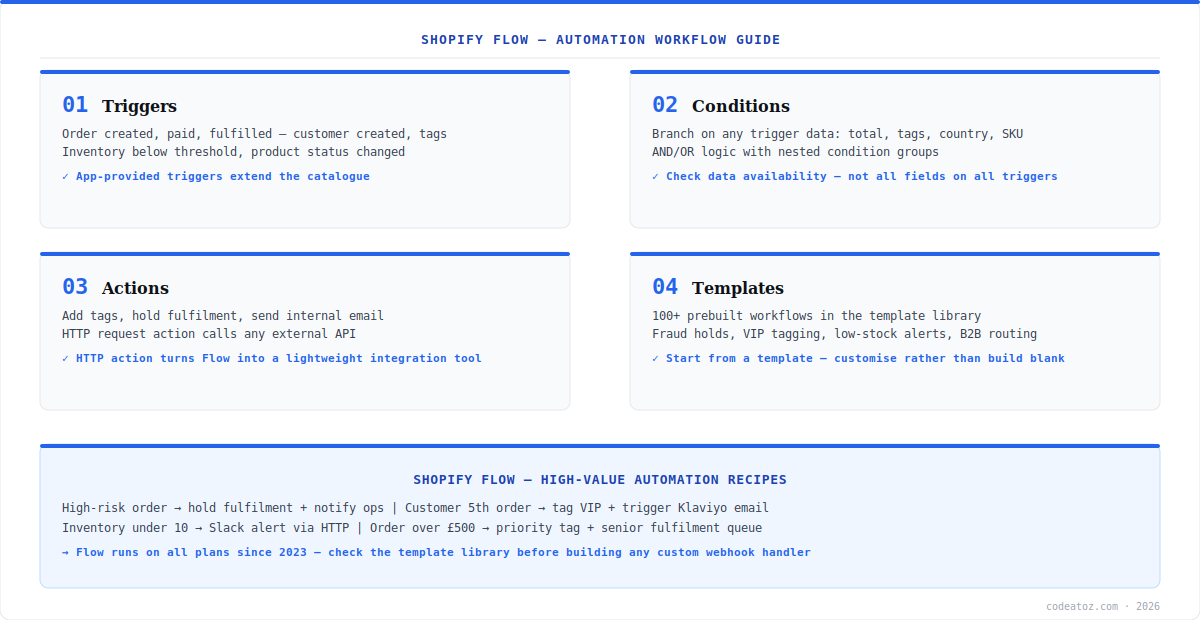
Shopify Flow: Triggers, Conditions and Actions
Shopify Flow triggers cover the commercial lifecycle: order created, paid, fulfilled, refunded; customer created or tagged; inventory quantity changed; product added or status changed. Apps you install can contribute their own triggers — review apps fire on new reviews, subscription apps on renewal events. Conditions branch on trigger data with nested AND/OR groups: order total, line item SKUs or tags, customer tags and order count, shipping country, risk level. Actions then do the work — add or remove tags, hold fulfilment, send internal email, create a metafield value, or fire the HTTP request action. One discipline keeps workflows reliable: check which data fields the trigger actually provides before building conditions on them — not every field is available on every trigger.
Shopify Flow: The HTTP Request Action
The HTTP request action turns Shopify Flow from store automation into a lightweight integration platform: POST order data to a Slack webhook, push events to an ERP endpoint, trigger a Make or Zapier scenario, or call your own microservice — with Liquid templating in the request body to shape the payload. For a large class of integrations, this eliminates the custom webhook handler you would otherwise write, deploy and monitor: Flow handles retries, the execution log shows every run, and there is no server to maintain. Pair it with Slack incoming webhooks for the classic ops-alerting setup. Where Flow ends and custom development begins: Flow reacts to events after they happen — it cannot modify checkout in-flight (that is Shopify Functions), and complex multi-step logic with external state belongs in a custom app on the Admin API.
The Shopify Flow template library ships 100+ prebuilt workflows — fraud-risk fulfilment holds, VIP customer tagging, low-stock alerts, B2B order routing. Start from the closest template and customise; building from a blank canvas is almost never necessary, and templates encode field-availability details that blank builds get wrong.
Shopify Flow: High-Value Recipes
The Shopify Flow recipes that consistently pay for the setup time: hold fulfilment and notify ops when order risk is high (stops fraud losses on autopilot); tag customers VIP at their fifth order and trigger the Klaviyo segment; Slack-alert when any tracked SKU’s inventory drops below threshold; route orders over a value threshold to a priority fulfilment tag; auto-tag B2B orders by customer tag for your wholesale workflows‘ Shopify equivalent; and append UTM-derived tags for attribution reporting. Our Shopify development team implements Flow as the first automation layer on every store build — custom code only starts where Flow demonstrably stops.
Frequently Asked Questions About Shopify Flow
What is Shopify Flow?
Shopify Flow is Shopify’s built-in no-code automation platform. Workflows follow trigger → condition → action: trigger on store events like order created or inventory changed, branch on the event data with AND/OR conditions, and execute actions — tagging, fulfilment holds, internal emails, metafield writes, or HTTP requests to external APIs.
Is Shopify Flow free on all plans?
Yes. Shopify Flow has been available on all Shopify plans since 2023 — it was previously Plus-only. Some advanced connectors and certain app-contributed triggers may depend on the apps you have installed, but the core engine, the HTTP request action and the template library are included on every plan at no extra cost.
Can Shopify Flow call external APIs?
Yes — the HTTP request action sends GET/POST/PUT requests to any external URL with custom headers and a Liquid-templated body. Common uses: Slack webhooks for ops alerts, pushing events to an ERP, or triggering Make/Zapier scenarios. For many integrations this replaces a custom webhook handler entirely, with retries and execution logs built in.
What is the difference between Shopify Flow and Shopify Functions?
Shopify Flow reacts to events after they happen — order created, customer tagged — and automates follow-up actions asynchronously. Shopify Functions run synchronously inside the checkout pipeline, modifying discounts, shipping options and payment methods before the order exists. Use Flow for operations automation; use Functions for checkout-time business logic.
Can Shopify Flow hold orders for fraud review?
Yes — the classic Shopify Flow recipe: trigger on order created, condition on risk level high (or medium plus other signals), action hold fulfilment and email your ops team. The order waits in a held state until a human reviews and releases it. This single template prevents the majority of fulfilled-then-chargebacked fraud losses.
What are the limits of Shopify Flow?
Shopify Flow is event-reactive and asynchronous — it cannot modify checkout in-flight, run on a time schedule alone (triggers are event-based, though scheduled-time triggers exist for recurring jobs), or maintain complex external state across runs. When automation needs multi-step orchestration with external systems of record, graduate to a custom app on the Admin API.
Where do I find Shopify Flow templates?
Open Shopify Flow from your admin apps and browse the template library — 100+ prebuilt workflows across fraud, customer segmentation, inventory, fulfilment and B2B routing. Install a template, adjust the condition values to your business (thresholds, tags, emails) and activate. Templates are the fastest path to reliable automations.
Automating Your Store with Shopify Flow?
Our team designs Flow automation layers — fraud holds, VIP segmentation, ERP webhooks and ops alerting.




