
WooCommerce REST API React Frontend — Full Tutorial 2026
Build a WooCommerce REST API React frontend — product catalogue, cart state with Context, checkout redirect, custom hooks, and CORS configuration for cross-origin requests.
Building a WooCommerce REST API React frontend connects a React SPA to WooCommerce’s v3 REST API, letting you build custom product pages, category listings, and cart experiences using React component architecture while WooCommerce handles all commerce logic server-side. A WooCommerce REST API React frontend is ideal for custom product configurators, quote forms, B2B ordering interfaces, or any UI requirement that the standard WooCommerce theme cannot satisfy. This guide covers the complete WooCommerce REST API React frontend build: CORS setup, typed API client, product listing hooks, and cart context management.
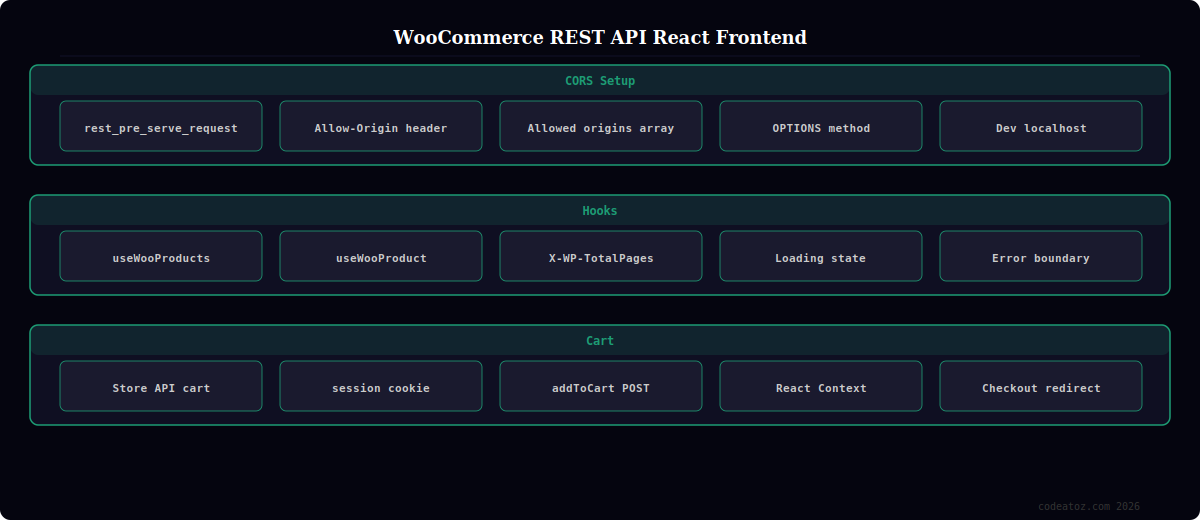
WooCommerce REST API React Frontend: CORS Configuration
For a WooCommerce REST API React frontend hosted on a different domain (e.g. React app at app.yourdomain.com, WooCommerce at shop.yourdomain.com), you must configure CORS on the WordPress server to allow cross-origin API requests. Add this to your theme’s functions.php or a plugin.
<?php
// Allow WooCommerce REST API React frontend from specific origins
add_action( 'rest_api_init', function() {
    remove_filter( 'rest_pre_serve_request', 'rest_send_cors_headers' );

    add_filter( 'rest_pre_serve_request', function( $value ) {
        $allowed_origins = [
            'https://app.yourdomain.com',
            'http://localhost:3000',  // Development WooCommerce REST API React frontend
        ];

        $origin = $_SERVER['HTTP_ORIGIN'] ?? '';

        if ( in_array( $origin, $allowed_origins, true ) ) {
            header( 'Access-Control-Allow-Origin: ' . $origin );
            header( 'Access-Control-Allow-Methods: GET, POST, PUT, DELETE, OPTIONS' );
            header( 'Access-Control-Allow-Headers: Authorization, Content-Type, X-WP-Nonce' );
            header( 'Access-Control-Allow-Credentials: true' );
        }

        return $value;
    });
}, 15 );
WooCommerce REST API React Frontend: Custom Hooks
Build reusable React hooks for your WooCommerce REST API React frontend to keep API logic out of components. These hooks handle loading states, error boundaries, and caching so your product components stay clean.
// hooks/useWooProducts.ts — WooCommerce REST API React frontend hooks
import { useState, useEffect } from 'react';

const WC_URL   = import.meta.env.VITE_WC_URL;   // https://yourstore.com
const WC_KEY   = import.meta.env.VITE_WC_KEY;   // Consumer key (safe for SPA with HTTPS)
const WC_SECRET= import.meta.env.VITE_WC_SECRET;

function wcUrl(path: string, params?: Record<string, string>) {
  const creds = btoa(`${WC_KEY}:${WC_SECRET}`);
  const base  = `${WC_URL}/wp-json/wc/v3${path}`;
  const query = params ? '&' + new URLSearchParams(params).toString() : '';
  return { url: `${base}?consumer_key=${WC_KEY}&consumer_secret=${WC_SECRET}${query}` };
}

// WooCommerce REST API React frontend: products hook
export function useWooProducts(page = 1, perPage = 12) {
  const [products, setProducts] = useState<WooProduct[]>([]);
  const [loading,  setLoading]  = useState(true);
  const [error,    setError]    = useState<string | null>(null);
  const [totalPages, setTotalPages] = useState(1);

  useEffect(() => {
    setLoading(true);
    const { url } = wcUrl('/products', { page: String(page), per_page: String(perPage) });

    fetch(url)
      .then(res => {
        setTotalPages(Number(res.headers.get('X-WP-TotalPages') ?? 1));
        return res.json();
      })
      .then(data => { setProducts(data); setLoading(false); })
      .catch(err => { setError(err.message); setLoading(false); });
  }, [page, perPage]);

  return { products, loading, error, totalPages };
}

// WooCommerce REST API React frontend: single product hook
export function useWooProduct(slug: string) {
  const [product, setProduct] = useState<WooProduct | null>(null);
  const [loading, setLoading] = useState(true);

  useEffect(() => {
    const { url } = wcUrl('/products', { slug });
    fetch(url)
      .then(r => r.json())
      .then(data => { setProduct(data[0] ?? null); setLoading(false); });
  }, [slug]);

  return { product, loading };
}
WooCommerce REST API React Frontend: Cart Context
Cart state in a WooCommerce REST API React frontend lives in React Context. Keep the cart in state, persist the cart ID in a cookie for session continuity, and add items via the WooCommerce Store API (available since WooCommerce 7.x) rather than the v3 API which does not have a cart endpoint for logged-out sessions.
💡 For the WooCommerce REST API React frontend cart, use the WooCommerce Store API at /wp-json/wc/store/v1/cart rather than the v3 REST API. The Store API supports anonymous (logged-out) cart sessions via cookie-based nonces, returns cart totals with tax applied correctly, and is the same API that powers WooCommerce’s own block checkout. The v3 REST API requires authentication and is designed for admin operations, not customer-facing WooCommerce REST API React frontend cart interactions.
The WooCommerce REST API v3 documentation covers the full endpoint reference for the WooCommerce REST API React frontend products and orders calls. The WooCommerce Store API documentation covers the cart API used in the WooCommerce REST API React frontend cart implementation. The React Context documentation covers the cart state management pattern. See our headless WooCommerce Next.js guide and our WooCommerce development services.
Frequently Asked Questions — WooCommerce REST API React Frontend
How do I connect React to the WooCommerce REST API?
Generate a Consumer Key and Consumer Secret in WooCommerce > Settings > Advanced > REST API. For server-side calls (Next.js, Remix), use Basic authentication with btoa(key + ‘:’ + secret) in the Authorization header. For a client-side WooCommerce REST API React frontend SPA, pass the key and secret as query parameters over HTTPS — this is acceptable because the v3 API credentials only expose public catalogue data when you grant read-only permission. Configure CORS on the WordPress server to allow your React app’s origin.
How do I handle cart state in a WooCommerce REST API React frontend?
Use React Context with useReducer for client-side cart state. Persist the cart session using the WooCommerce Store API (not v3 REST API) which supports anonymous sessions via cookie nonces. Store the nonce and cart session in a cookie for persistence across page refreshes. For checkout, redirect to the WooCommerce checkout URL with the cart pre-populated, or implement a custom checkout using the Store API checkout endpoint.
What is CORS and why does my WooCommerce REST API React frontend fail?
CORS (Cross-Origin Resource Sharing) is a browser security policy that blocks requests from one domain to another unless the server explicitly allows it. Your WooCommerce REST API React frontend fails CORS checks when the React app’s domain is not listed in WordPress’s allowed origins. Fix it by adding the rest_pre_serve_request filter in PHP to output Access-Control-Allow-Origin headers. In development, use a proxy in your Vite or webpack config to avoid CORS entirely.
What WooCommerce REST API endpoints does a React frontend typically need?
A typical WooCommerce REST API React frontend needs: /products for catalogue, /products/{id} for product detail, /products/categories for navigation, /products?search= for search, and the WooCommerce Store API for cart and checkout. If customer accounts are needed, add /customers endpoints with JWT or application password authentication. WooCommerce REST API v3 documentation covers the full endpoint reference.
How do I paginate products in a WooCommerce REST API React frontend?
The WooCommerce REST API returns pagination headers: X-WP-Total (total product count) and X-WP-TotalPages (total pages). Use the per_page and page query parameters to control pagination. Read the response headers in your useWooProducts hook to know the total page count and enable next/previous page buttons. The default per_page is 10; set it to 12 or 24 for standard grid layouts in your WooCommerce REST API React frontend.
Should I use the WooCommerce v3 REST API or the Store API for React?
Use both in a WooCommerce REST API React frontend but for different purposes. The v3 REST API is for reading product catalogue data — products, categories, variations, and attributes. It requires authentication, so call it server-side or with read-only credentials. The WooCommerce Store API is for customer-facing operations — cart management, checkout, and customer registration. It supports unauthenticated sessions via nonces and is designed specifically for frontend use in React storefronts.
Need a WooCommerce REST API React Frontend Built?
CodeAtoZ builds WooCommerce REST API React frontends — product catalogues, custom configurators, B2B ordering portals, and mobile apps.




