
Shopware 6 Custom Entity — Create a Data Model (2026)
Create Shopware 6 custom entities with EntityDefinition, migration, repository injection, DAL queries, admin listing, and REST API access in 2026.
A Shopware 6 custom entity is the correct way to store structured plugin data in Shopware — whether that is loyalty point balances, supplier records, campaign configurations, or product ratings. The Shopware 6 custom entity system is powered by Shopware’s Data Abstraction Layer (DAL), which gives you automatic CRUD REST API endpoints, admin UI integration, event dispatching on write, and relationship handling. This guide covers the complete Shopware 6 custom entity workflow: EntityDefinition, schema migration, repository injection, DAL queries, and admin listing via Vue.js.
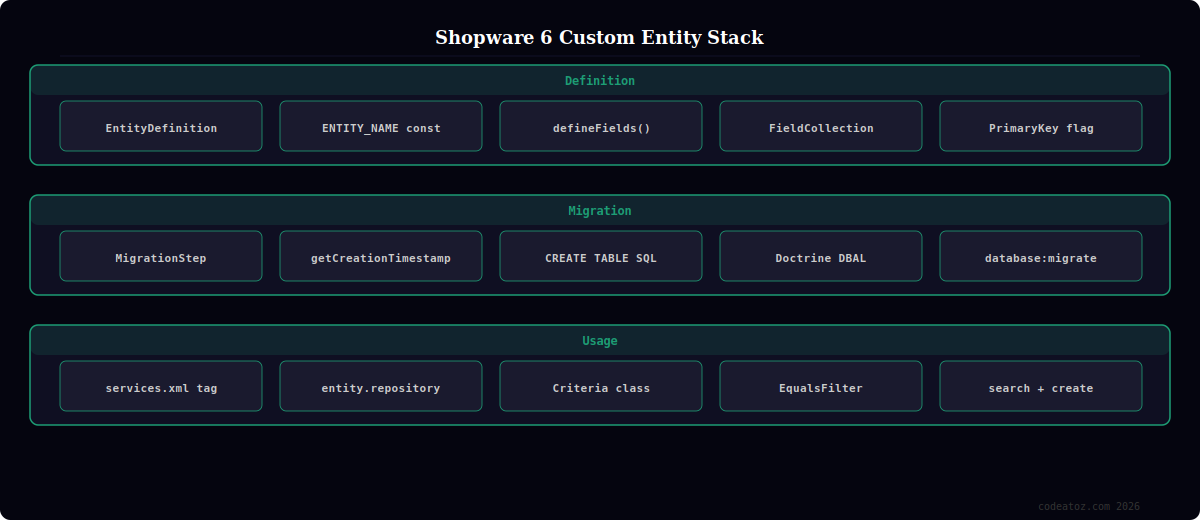
Shopware 6 Custom Entity: EntityDefinition Class
Every Shopware 6 custom entity starts with an EntityDefinition class that declares the table name, fields, and relationships. Shopware’s DAL reads this definition to generate SQL, REST API routes, and admin search integration automatically.
PHP — Shopware 6 custom entity definition<?php
namespace VendorMyPluginCoreContentSupplier;
use ShopwareCoreFrameworkDataAbstractionLayerEntityDefinition;
use ShopwareCoreFrameworkDataAbstractionLayerFieldFlagPrimaryKey;
use ShopwareCoreFrameworkDataAbstractionLayerFieldFlagRequired;
use ShopwareCoreFrameworkDataAbstractionLayerFieldFlagSearchRanking;
use ShopwareCoreFrameworkDataAbstractionLayerFieldIdField;
use ShopwareCoreFrameworkDataAbstractionLayerFieldStringField;
use ShopwareCoreFrameworkDataAbstractionLayerFieldBoolField;
use ShopwareCoreFrameworkDataAbstractionLayerFieldIntField;
use ShopwareCoreFrameworkDataAbstractionLayerFieldJsonField;
use ShopwareCoreFrameworkDataAbstractionLayerFieldCreatedAtField;
use ShopwareCoreFrameworkDataAbstractionLayerFieldUpdatedAtField;
use ShopwareCoreFrameworkDataAbstractionLayerFieldCollection;
// Shopware 6 custom entity: supplier data model
class SupplierDefinition extends EntityDefinition
{
public const ENTITY_NAME = 'vendor_supplier';
public function getEntityName(): string
{
return self::ENTITY_NAME;
}
public function getEntityClass(): string
{
return SupplierEntity::class;
}
public function getCollectionClass(): string
{
return SupplierCollection::class;
}
// Shopware 6 custom entity field declarations
protected function defineFields(): FieldCollection
{
return new FieldCollection([
(new IdField('id', 'id'))->addFlags(new PrimaryKey(), new Required()),
(new StringField('name', 'name'))->addFlags(new Required(), new SearchRanking(SearchRanking::HIGH_SEARCH_RANKING)),
(new StringField('email', 'email'))->addFlags(new Required()),
(new StringField('country_code', 'countryCode')),
(new IntField('lead_time_days', 'leadTimeDays')),
(new BoolField('active', 'active')),
(new JsonField('metadata', 'metadata')),
new CreatedAtField(),
new UpdatedAtField(),
]);
}
}
Shopware 6 Custom Entity: Database Migration
After defining the entity, create a migration class to create the database table. Shopware 6 custom entity migrations extend MigrationStep and are run by bin/console database:migrate VendorMyPlugin.
PHP — Shopware 6 custom entity migration<?php
namespace VendorMyPluginMigration;
use DoctrineDBALConnection;
use ShopwareCoreFrameworkMigrationMigrationStep;
// Shopware 6 custom entity: create supplier table
class Migration1717200000CreateSupplierTable extends MigrationStep
{
public function getCreationTimestamp(): int
{
return 1717200000; // Unix timestamp — must be unique
}
public function update(Connection $connection): void
{
$connection->executeStatement('
CREATE TABLE IF NOT EXISTS `vendor_supplier` (
`id` BINARY(16) NOT NULL,
`name` VARCHAR(255) NOT NULL,
`email` VARCHAR(255) NOT NULL,
`country_code` VARCHAR(10) NULL,
`lead_time_days` INT(11) NULL DEFAULT 14,
`active` TINYINT(1) NOT NULL DEFAULT 1,
`metadata` JSON NULL,
`created_at` DATETIME(3) NOT NULL,
`updated_at` DATETIME(3) NULL,
PRIMARY KEY (`id`)
) ENGINE=InnoDB DEFAULT CHARSET=utf8mb4 COLLATE=utf8mb4_unicode_ci;
');
}
public function updateDestructive(Connection $connection): void {}
}
Shopware 6 Custom Entity: Repository and DAL Queries
Inject the Shopware 6 custom entity repository via the service container. The repository ID is always entity_name.repository. Use the Criteria class to build type-safe queries with filters, sorts, and associations.
PHP — Shopware 6 custom entity repository usage<?php
use ShopwareCoreFrameworkContext;
use ShopwareCoreFrameworkDataAbstractionLayerEntityRepository;
use ShopwareCoreFrameworkDataAbstractionLayerSearchCriteria;
use ShopwareCoreFrameworkDataAbstractionLayerSearchFilterEqualsFilter;
use ShopwareCoreFrameworkDataAbstractionLayerSearchSortingFieldSorting;
class SupplierService
{
// Inject Shopware 6 custom entity repository via DI
public function __construct(
private readonly EntityRepository $supplierRepository
) {}
// Search active Shopware 6 custom entity records
public function getActiveSuppliers(Context $context): array
{
$criteria = new Criteria();
$criteria->addFilter(new EqualsFilter('active', true));
$criteria->addSorting(new FieldSorting('name', FieldSorting::ASCENDING));
$criteria->setLimit(50);
$result = $this->supplierRepository->search($criteria, $context);
return $result->getElements();
}
// Create Shopware 6 custom entity record
public function createSupplier(string $name, string $email, Context $context): string
{
$id = ShopwareCoreFrameworkUuidUuid::randomHex();
$this->supplierRepository->create([
['id' => $id, 'name' => $name, 'email' => $email, 'active' => true]
], $context);
return $id;
}
}
// Register in services.xml:
// <service id="VendorMyPluginServiceSupplierService">
// <argument type="service" id="vendor_supplier.repository"/>
// </service>
💡 Registering your Shopware 6 custom entity definition as a service with the tag shopware.entity.definition is mandatory — without it, Shopware’s DAL does not know the entity exists. Add it to services.xml: <service id="VendorMyPluginCoreContentSupplierSupplierDefinition"><tag name="shopware.entity.definition" entity="vendor_supplier"/></service>. Once tagged, the repository (vendor_supplier.repository), REST API endpoint (/api/vendor-supplier), and admin search integration are all automatically available.
The Shopware 6 custom entity documentation covers EntityDefinition, fields, and the DAL in full. The Shopware DAL reading data guide covers Criteria, filters, and sorting. The Shopware migration guide covers the MigrationStep class used for Shopware 6 custom entity schema creation. See our Shopware 6 plugin development guide and our Shopware development services.
Frequently Asked Questions — Shopware 6 Custom Entity
What is a Shopware 6 custom entity?
A Shopware 6 custom entity is a plugin-defined data model stored in a database table and managed through Shopware’s Data Abstraction Layer. You define the entity with an EntityDefinition class, create the table via a migration, and interact with the data using an injected repository. Shopware automatically creates REST API endpoints, event dispatching on write operations, admin search integration, and an export/import interface for your Shopware 6 custom entity.
How do I create a migration for a Shopware 6 custom entity?
Create a class extending MigrationStep in your plugin’s Migration/ directory. The class name must include a Unix timestamp (e.g. Migration1717200000CreateTable). Implement getCreationTimestamp() returning that timestamp and update() with the CREATE TABLE SQL. Run it with bin/console database:migrate VendorMyPlugin. The timestamp determines execution order — always use a larger timestamp for newer migrations to ensure correct execution sequence.
How do I inject the repository for a Shopware 6 custom entity?
Declare the entity definition service in services.xml with the tag shopware.entity.definition. Shopware then automatically registers entity_name.repository as a service in the DI container. Inject it into your service classes with type=”service” id=”vendor_supplier.repository”. The repository is typed as EntityRepository and provides search(), create(), update(), delete(), and upsert() methods.
Does Shopware 6 automatically create REST API endpoints for custom entities?
Yes — once your Shopware 6 custom entity definition is tagged with shopware.entity.definition, Shopware generates a complete REST API at /api/entity-name (with hyphens replacing underscores). The endpoint supports GET (list with filters), GET by ID, POST (create), PATCH (update), and DELETE. API access requires admin credentials (OAuth Bearer token). The admin API is only for server-side use; never expose admin API tokens in frontend JavaScript.
How do I add relationships between a Shopware 6 custom entity and core entities?
Add a ForeignKeyField and ManyToOneAssociationField to your EntityDefinition for the parent entity (e.g. linking to product via product_id). Add an OneToManyAssociationField in the core entity’s definition using an extension or a plugin override. Add the corresponding foreign key column in your migration. Shopware’s DAL then loads related entities automatically when you add the association name to your Criteria with addAssociation(‘products’).
Can I search and filter Shopware 6 custom entity records via the DAL?
Yes — use the Criteria class with filter methods. EqualsFilter for exact matches, ContainsFilter for LIKE queries, RangeFilter for numeric ranges, MultiFilter for AND/OR combinations, and EqualsAnyFilter for IN queries. Add SearchRanking::HIGH_SEARCH_RANKING flag to searchable fields in your EntityDefinition so they appear in Shopware’s global search. Sort results with FieldSorting and paginate with setLimit() and setOffset() or page-based pagination.
Need Custom Data Models in Shopware 6?
CodeAtoZ builds Shopware 6 custom entities — complex data models, ERP integrations, custom REST APIs, admin listings, and multi-plugin DAL architectures.




