
The Complete Shopware 6 Storefront Controller Guide 2026
Build custom Shopware 6 storefront controllers — Route annotations, Twig templates, SalesChannelContext injection, AJAX endpoints, and redirect responses.
A Shopware 6 storefront controller is the standard way to add custom pages and endpoints to the storefront. Whether you need a custom landing page, a form handler, or an AJAX endpoint, a Shopware 6 storefront controller gives you full access to the request, the SalesChannelContext, and the Twig rendering engine. This guide covers the complete implementation from class creation to route registration and template rendering.
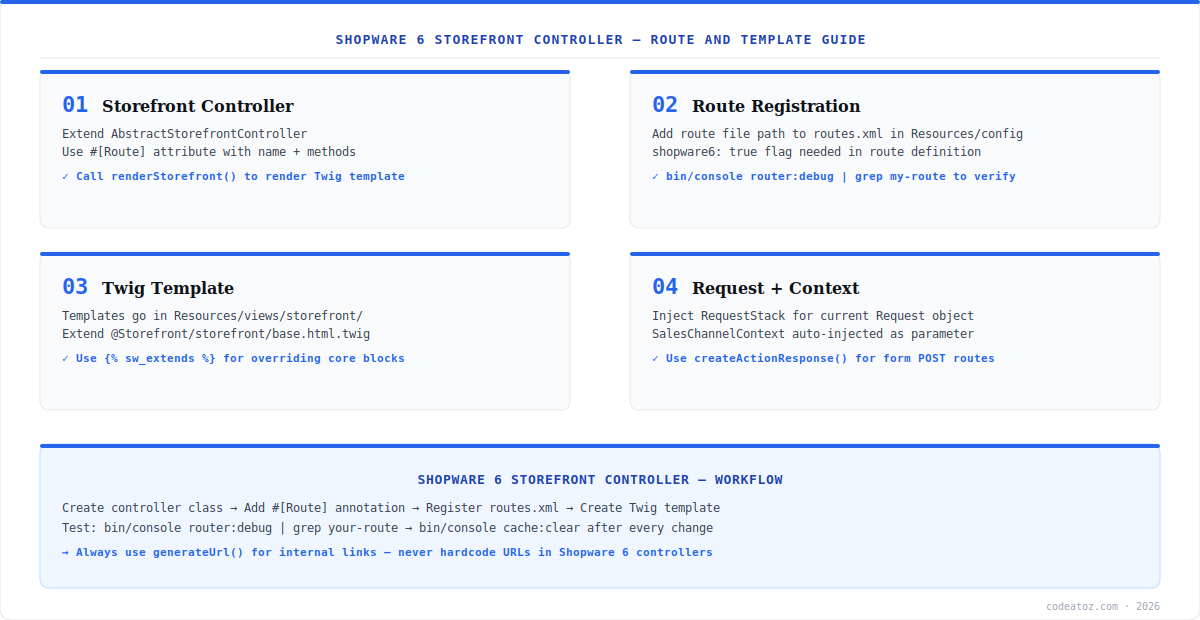
A Shopware 6 storefront controller extends AbstractStorefrontController and uses PHP 8 Route attributes for URL mapping. Call renderStorefront() to return a Twig response or JsonResponse for AJAX endpoints. The route registration follows the same services.xml pattern as any Shopware service — register, cache:clear, verify. Refer to the Shopware 6 controller documentation for the official walkthrough.
Shopware 6 Storefront Controller: Class and Route Annotation
Create a Shopware 6 storefront controller by extending AbstractStorefrontController. Add a PHP 8 #[Route] attribute specifying the path, name, and allowed HTTP methods. The route name must be unique — prefix with your plugin handle. Register in services.xml with the shopware.storefront.route tag.
namespace MyPluginStorefrontController;
use ShopwareStorefrontControllerStorefrontController;
use SymfonyComponentHttpFoundationRequest;
use SymfonyComponentHttpFoundationResponse;
use SymfonyComponentRoutingAttributeRoute;
use ShopwareCoreSystemSalesChannelSalesChannelContext;

#[Route(defaults: ['_routeScope' => ['storefront']])]
class CustomPageController extends StorefrontController {
    #[Route(path: '/custom-page', name: 'frontend.custom.page', methods: ['GET'])]
    public function index(Request $request, SalesChannelContext $context): Response {
        return $this->renderStorefront('@MyPlugin/storefront/page/custom.html.twig', [
            'customData' => 'value',
        ]);
    }
}Shopware 6 Storefront Controller: Twig Templates and Registration
Templates go in src/Resources/views/storefront/. Extend the base layout using Shopware-specific template tags. The namespace is registered automatically. Run bin/console cache:clear after every template or services.xml change. For AJAX endpoints, return JsonResponse directly without rendering a template, and register the route with methods: ['POST']. Check the Shopware storefront template documentation for the template override system. Our Shopware development team builds custom storefront controllers for complex storefronts and B2B portals. See the Symfony routing documentation for advanced Route attribute options.
<service id="MyPluginStorefrontControllerCustomPageController" public="true">
    <call method="setContainer">
        <argument type="service" id="service_container"/>
    </call>
    <call method="setTemplateFinder">
        <argument type="service" id="ShopwareStorefrontThemeTemplateFinder"/>
    </call>
    <tag name="shopware.storefront.route"/>
</service>A Shopware 6 storefront controller will not appear in the router until you run bin/console cache:clear after every change. Verify registration with bin/console debug:router | grep my-route. Set APP_ENV=dev during development to reduce DI container caching.
Frequently Asked Questions About Shopware 6 Storefront Controller
What is a Shopware 6 storefront controller?
A Shopware 6 storefront controller is a PHP class that handles HTTP requests on the storefront, renders Twig templates, and returns responses. It extends AbstractStorefrontController, uses PHP Route attributes for URL mapping, and has access to the SalesChannelContext. It is the standard way to add custom pages, form handlers, and AJAX endpoints to a Shopware 6 plugin.
How do I create a Shopware 6 storefront controller?
Extend AbstractStorefrontController, add a #[Route] attribute defining the URL path, route name, and HTTP methods, register in services.xml with the shopware.storefront.route tag, create the Twig template in src/Resources/views/storefront/, and run bin/console cache:clear. Render with renderStorefront() passing the template path and context variables.
How do I access SalesChannelContext in a Shopware 6 storefront controller?
Shopware 6 automatically injects SalesChannelContext into your controller action method when declared as a typed parameter. Add SalesChannelContext $context to your action method signature. Shopware resolves it from the current request context. Use it to access the current currency, language, customer, and sales channel settings.
How do I build an AJAX endpoint with a Shopware 6 storefront controller?
Return a JsonResponse from your controller action instead of calling renderStorefront(). Annotate with methods: [POST] and handle the CSRF token in the request headers. Register in services.xml with the shopware.storefront.route tag. Call the route path with fetch() from JavaScript including the required X-CSRF-Token header.
Why is my Shopware 6 storefront controller route not found?
Almost always caused by a stale DI container cache. Run bin/console cache:clear after every services.xml or route annotation change. Also verify the _routeScope is set to storefront in the Route defaults, the service tag is shopware.storefront.route, and the controller class is public in services.xml. Run bin/console debug:router to confirm the route is registered.
How do I create a redirect in a Shopware 6 storefront controller?
Return a redirect from a Shopware 6 storefront controller using the Symfony RedirectResponse or the helper method $this->redirectToRoute(). Use redirectToRoute() with the Shopware route name for internal redirects — it generates the correct URL automatically. For external redirects, use new RedirectResponse($url, 302). Always use generateUrl() for internal link generation rather than hardcoding paths.
Building a Shopware 6 Storefront Plugin?
Our team delivers production Shopware 6 plugins — controllers, services, themes, and Extension Store compliance.




